Logic
Logic shows a field only when another answer calls for it, so your team sees the questions that matter for this garment and nothing else. This page covers setting it up, reading a rule, and what your team sees on the order.
What logic does
A full jacket form can run to dozens of fields, and many only matter after an earlier choice. Logic keeps them out of the way until then. It makes orders quicker to take and stops combinations your manufacturer cannot make from reaching them.
- Lapel Width appears only when Lapel Style is Notch or Peak.
- Ticking Make as Tuxedo brings up satin lapel, covered buttons and trouser stripe.
- Thread colour appears only when pick stitching is Yes.
Adding logic to a field
Using the lapel example: Lapel Width should only show for a notch or peak lapel.
- Open the field that should appear or disappearHover Lapel Width and click Edit.
- Switch on Add logicThe logic panel opens. Leave the first line on Hide: "Hide this field by default, and show it when:".
- Pick the answer it depends onChoose Lapel Style from the list on the left. On the right, keep is and tick Notch and Peak.
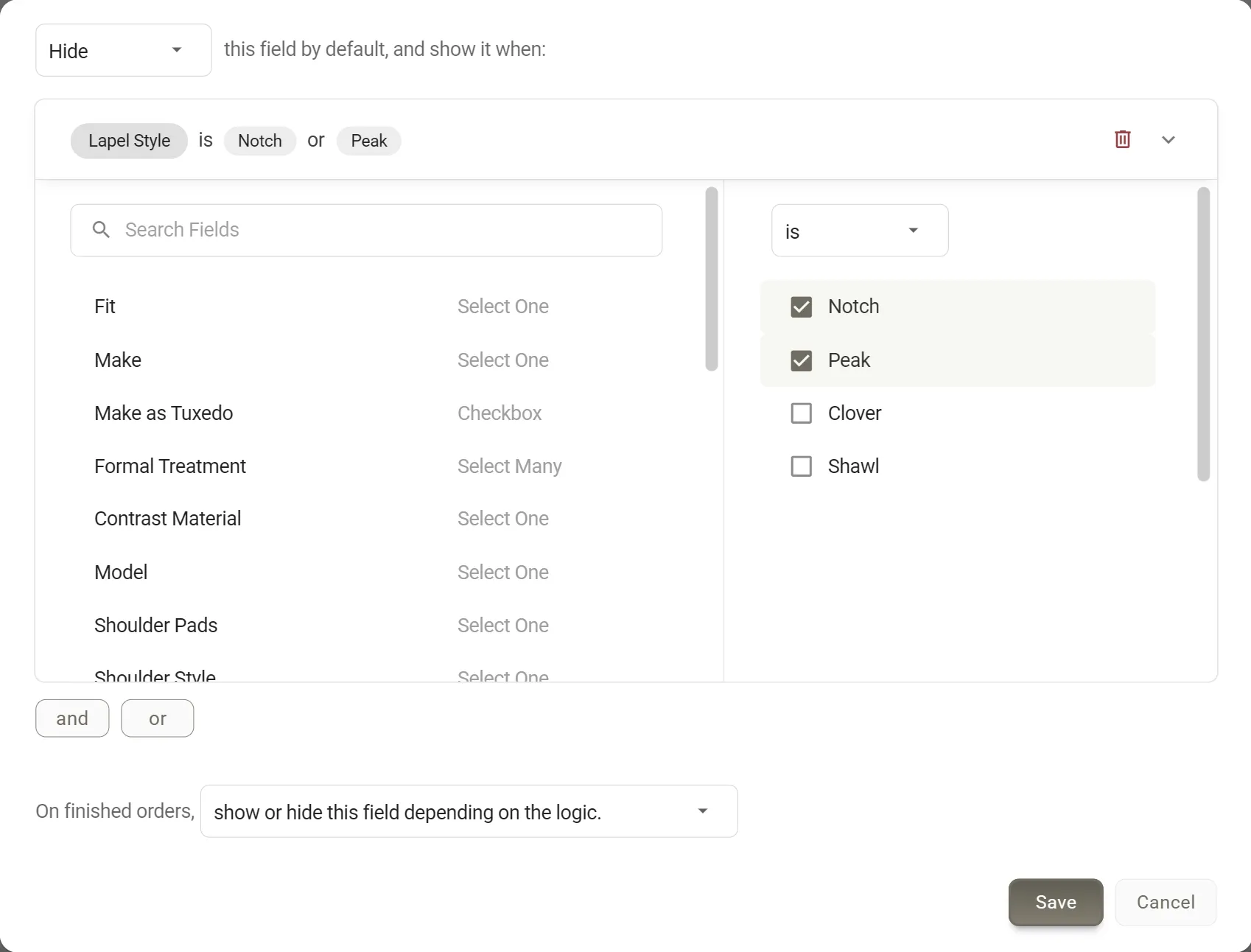
Lapel Width set to show only for a notch or peak lapel. - Choose what the finished order showsKeep show or hide this field depending on the logic, or choosealways show this field if the manufacturer wants to see it on every order.
- Save twiceClick Save in the logic panel, then Save on the field. Nothing is kept until the field itself is saved.
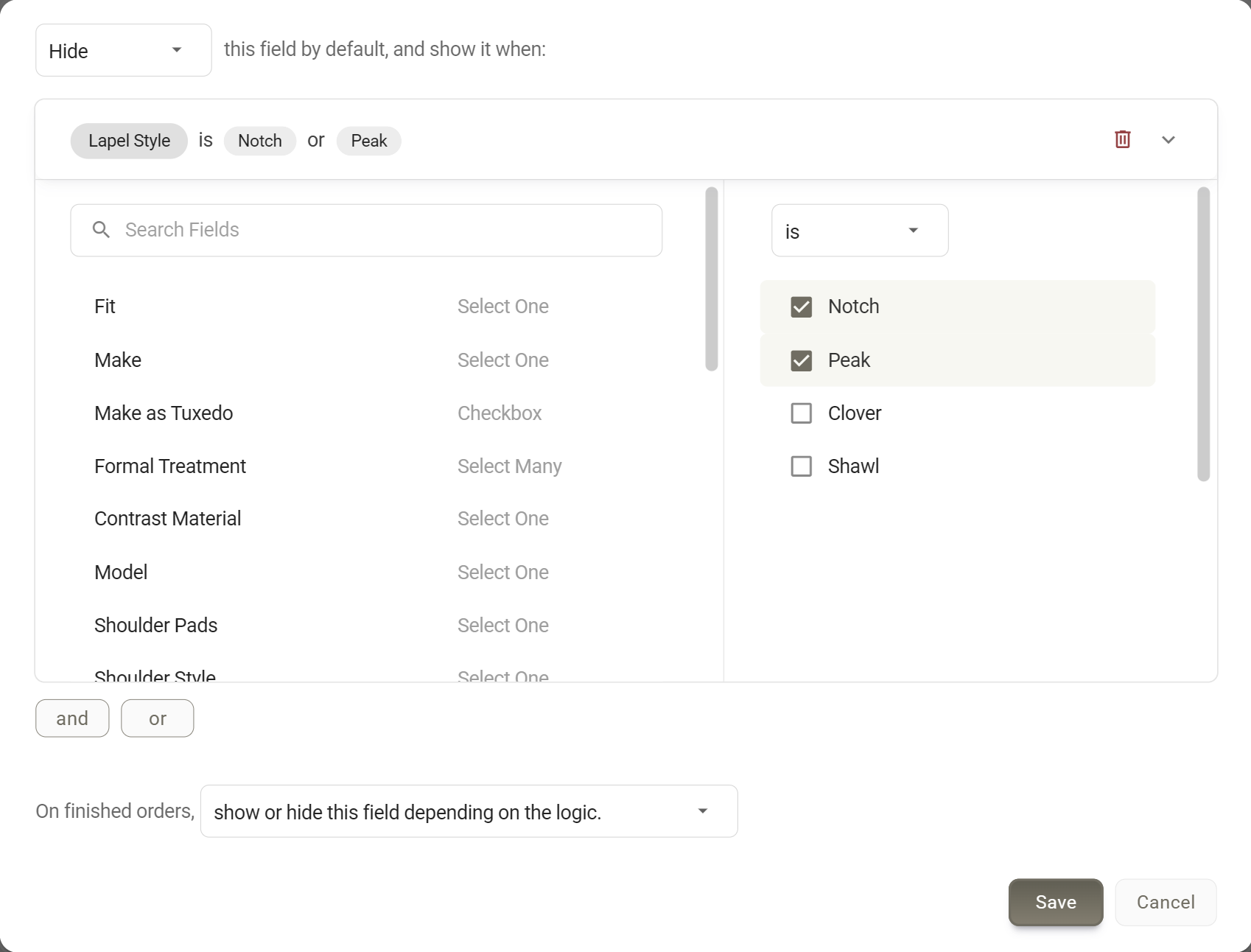
To change a rule later, open the field and click Edit Logic. Remove Logic takes it off, and the field always shows again.
More than one condition
Ticking several answers in one condition means any of them: Lapel Style is Notch or Peak. Choose is not to turn it round: show Lapel Width when Lapel Style is not Shawl.
To depend on a second field, click and or or under the condition and set up the next one. For example, show Flap Width when Ticket Pocket is Yes and Pocket Style is Flap. When a rule mixes the two, each group joined by and is checked first, then the groups joined by or.
One rule for several fields
For the tuxedo case, where one tick brings up several fields, set the rule once. On the Style Form, click Select Multiple, tick the fields, click Add Logic and set up the rule. When you save, it is added to every ticked field and the selection closes by itself.
Reading a rule
A field with logic has a small grey logic tag beside its name in the builder. Hover it to read the rule without opening the field.
Lapel Width's rule: hidden until a notch or peak lapel is chosen, and left off the finished order otherwise.
What your team sees on the order
- Fields come and go as they answerLapel Width appears the moment Peak is chosen and disappears if they switch to Shawl.
- A hidden field's answer is clearedSwitch to Shawl and the lapel width already entered is removed, so it cannot reach the manufacturer by mistake.
- Required only while showingOn the Style Form, a required field that is hidden never holds up the order. On measurement forms it can still count as missing in some cases, so try the rule on a test order.
- "Is not" waits for an answerA field shown when Lapel Style is not Shawl stays hidden until a lapel style is chosen.
Good to know
- What a rule can depend onOnly Select One, Select Many and Checkbox fields. Any field can be shown or hidden. Logic does not make fields required or fill in answers.
- On measurement formsBody Profile fields can only depend on other Body Profile fields. A rule that depends on a field in another tab only sees that field while its tab is the one chosen for the customer. Otherwise an is condition on it is never met, and an is not condition always is.
- Copying keeps or drops logicClone keeps it. Copy fields from another form drops it.
- Deleting a field breaks rules that use itNothing warns you. Check the fields that depended on it.
- Rules are not checked against each otherIf two fields each wait for the other to be answered, neither will ever show.
- Test with an orderThe single-field preview is not available for fields with logic. Use Preview Form or a test order to try the whole flow.
More: Item Logic and Conflicts · Using the Form Builder · Field Types · Measurement Tabs