Start free
Platform · Workflow

Run the shop as one team, across every location.

A second look at every order before it reaches the manufacturer, the right access for each person, every location in one account, and one customer record your whole team works from.

Free to sign up · No credit card required
  • Owner, Admin and Associate
  • Every location in one account
  • Alteration tickets with photos
How it works

Many hands on every order, one way of working.

The associate who writes the order, the reviewer who signs it off and the tailor who alters it all work from the same records, each with the access their job needs.

Review ProcessOn the Premier and Scale plans

A second pair of eyes before it goes.

Mark an order for review and its garments move to Ready for Review, while the reviewers you choose are notified under the bell. In Review and Lock they see each garment with its fabric photos, correct a field in place, and lock it.

A locked garment is a permanent record: only its need-by date, priority, garment number and fabric can still change.
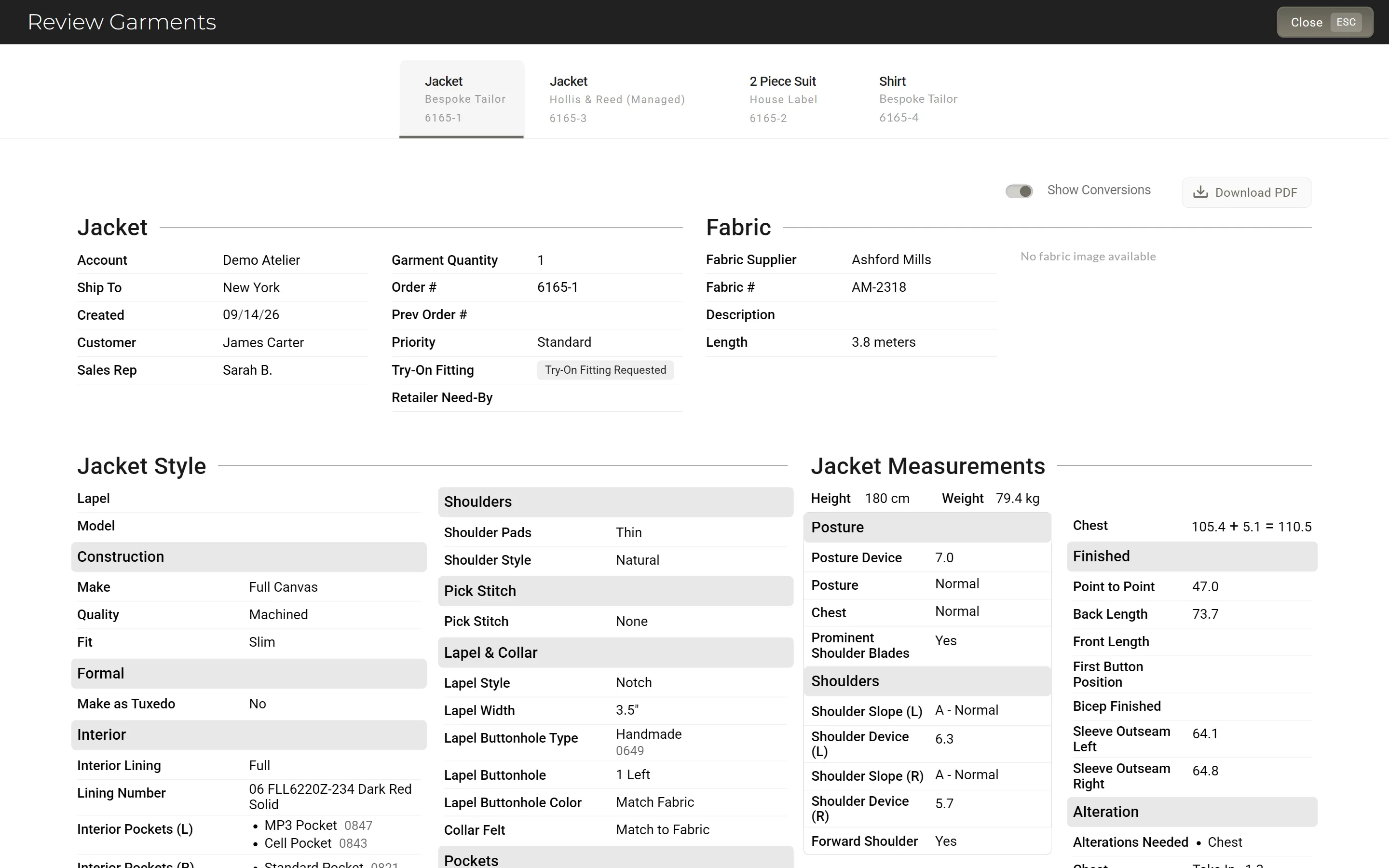
Review and Lock · checked, then locked
Team permissions

Everyone sees what their work needs.

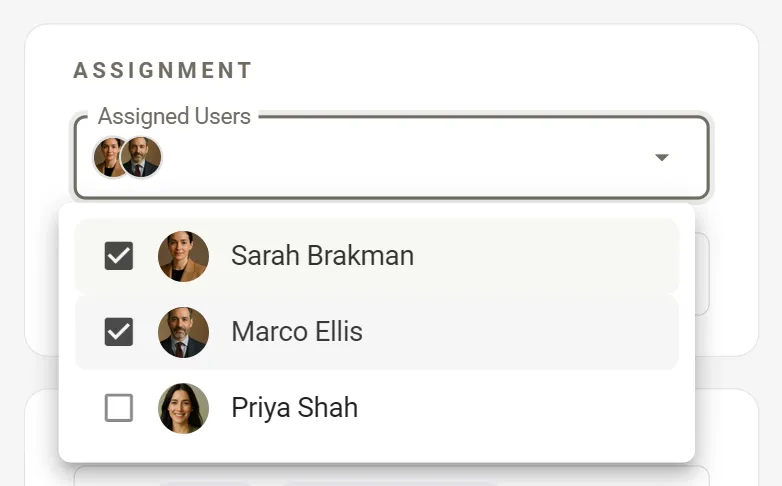
Make each person an Owner, an Admin or an Associate. Keep an associate to the customers assigned to them and the ones they add, and decide whether they can submit orders or delete their customers.

Aria works inside the same limits, and you can switch it off for any associate.
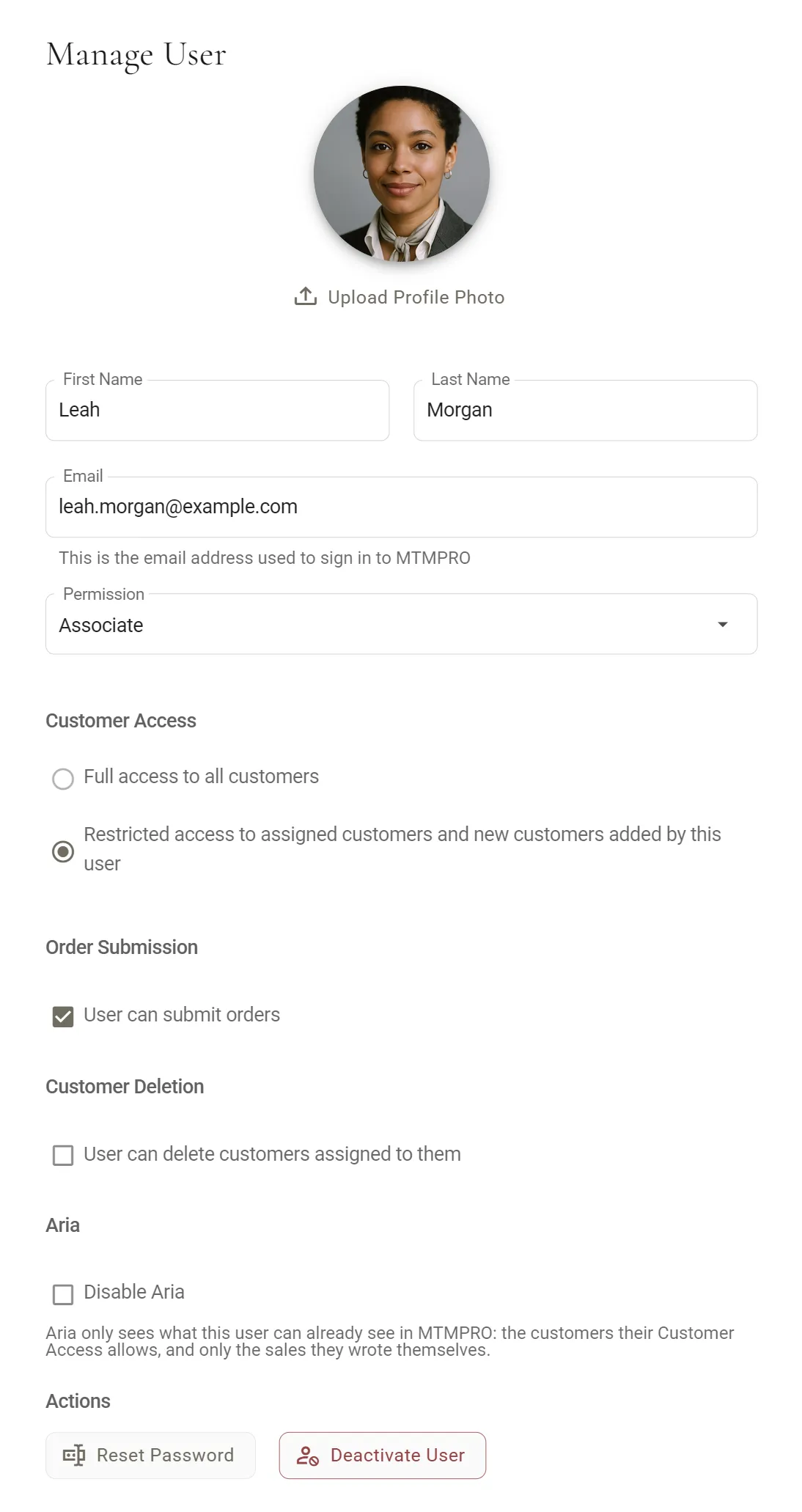
Manage User · an associate kept to assigned customers
Multiple locations

Every shop in one account.

Add your locations and give each person one, and every customer and order they create carries it. A default Ship To sends new orders where you want them, and your team can change it on any order.

Customers, garments and shipments filter by location. On Business and Premier, add a second location and each one is $50 a month, up to 5 on Business. On Scale, every location is $50 a month.
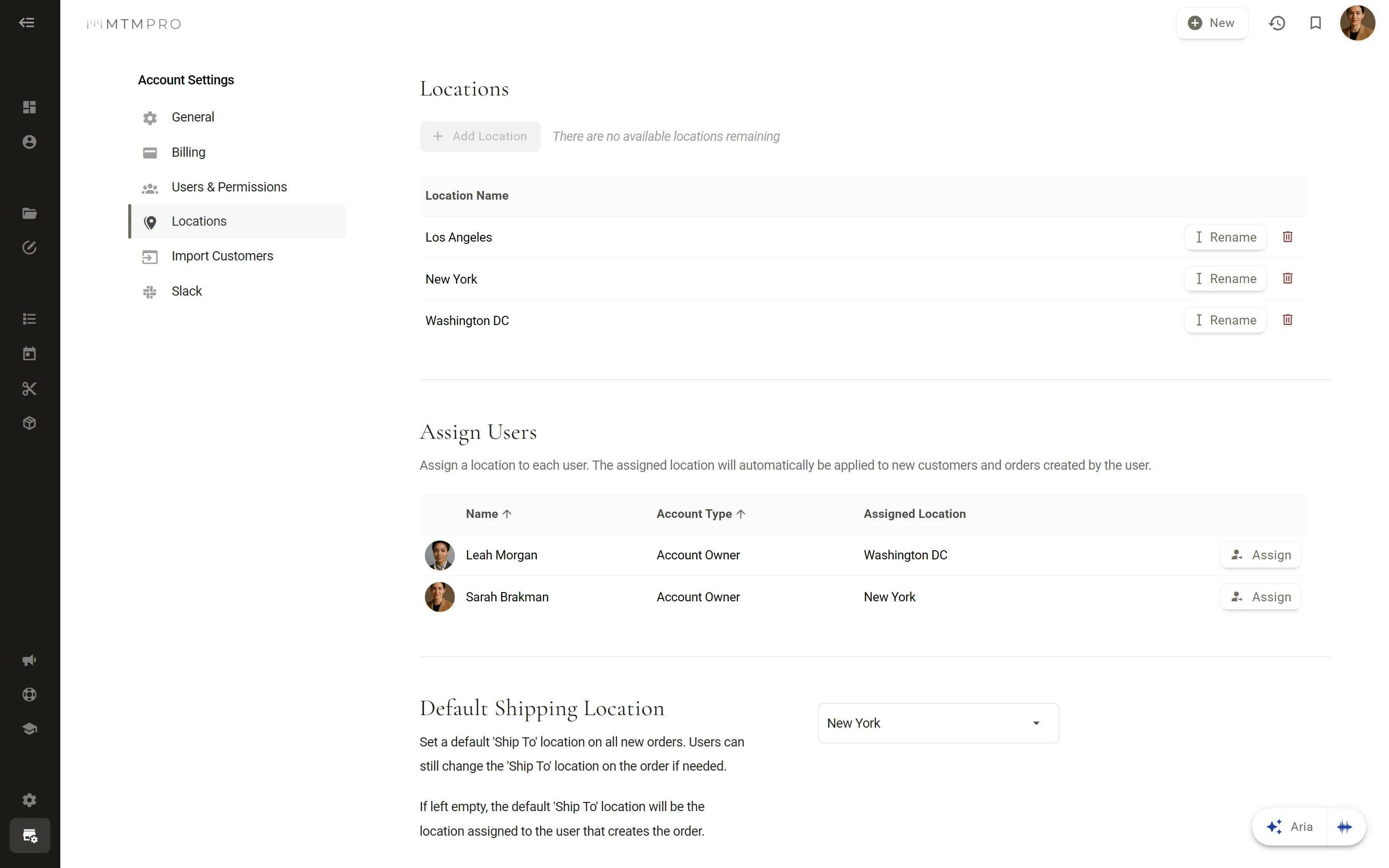
Locations · a default Ship To for new orders
Alterations

Tickets your tailor can work from.

Open a ticket on the garment and tap in each alteration with its amount, such as Shorten, Left Sleeve, .25. Add a note, a due date, a rush flag and up to three photos.

The ticket downloads as a PDF for the workroom, and the garment moves to Alterations until you mark it Alts Complete.
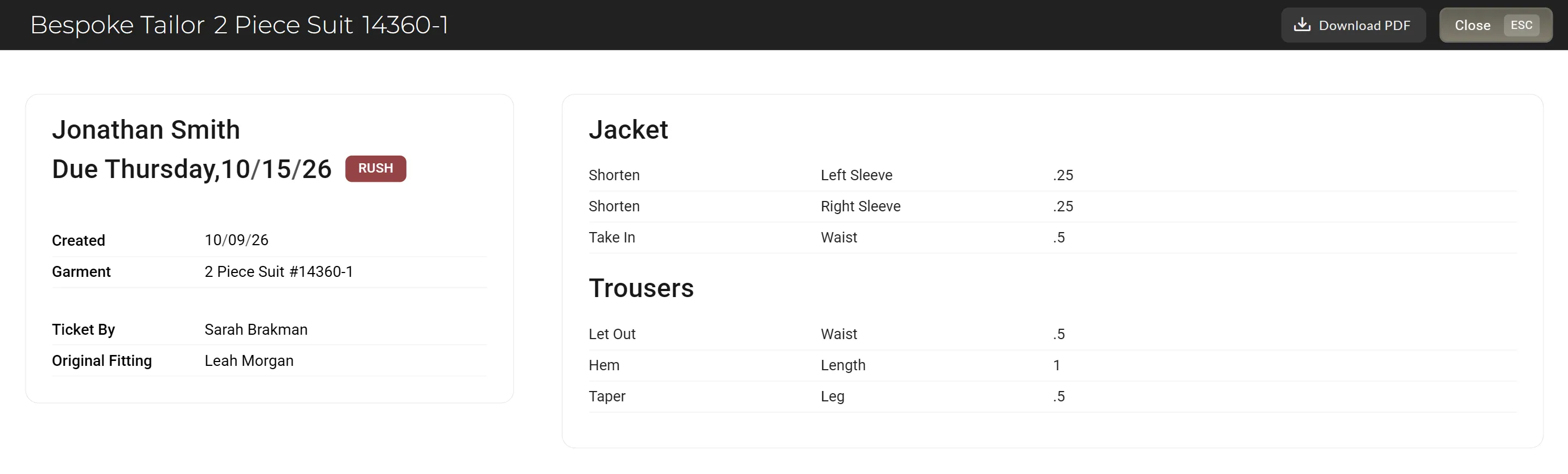
Alteration ticket · lines, due date and a PDF for the workroom
SlackOn the Premier and Scale plans

The shop's day, posted to Slack.

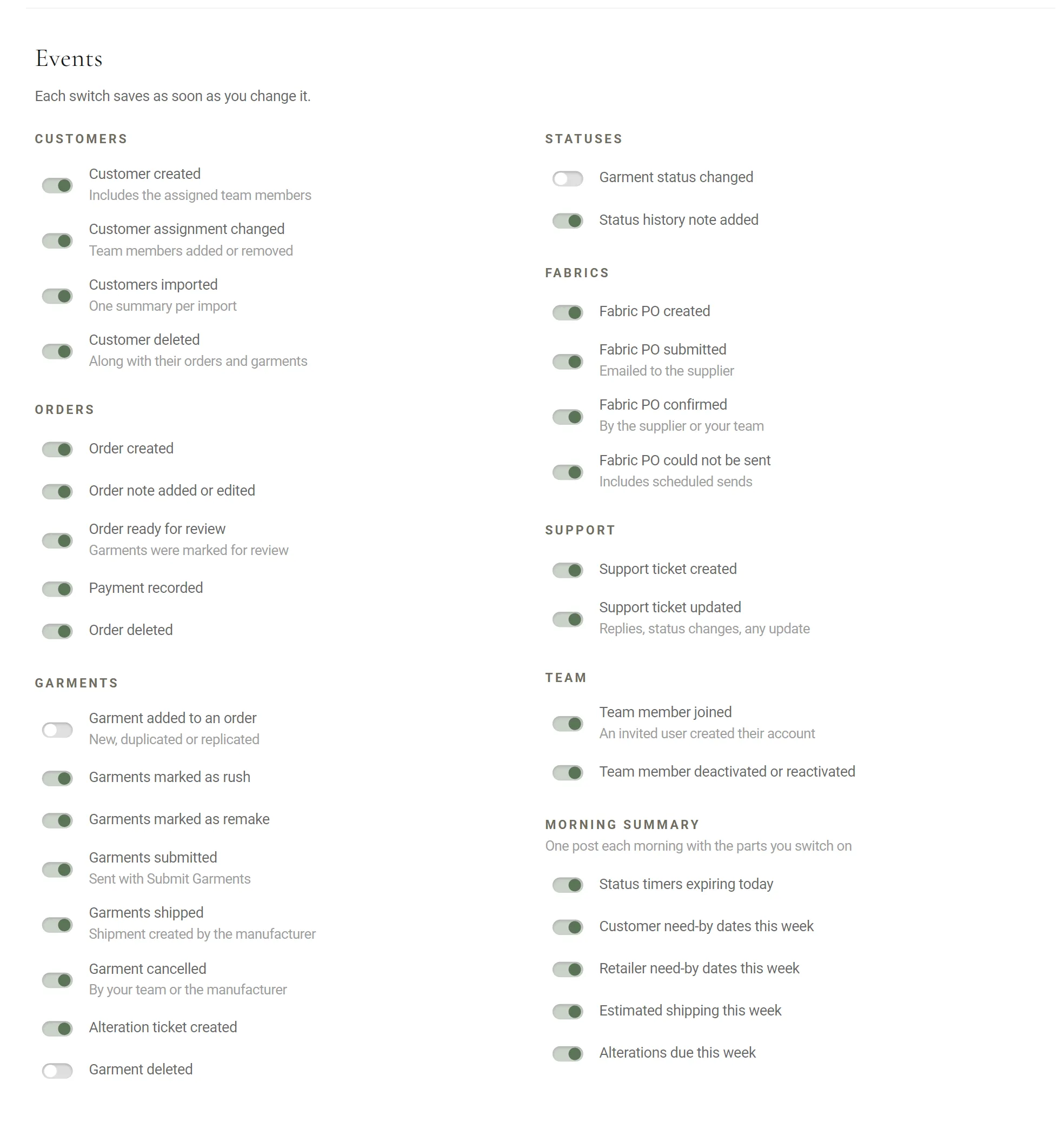
Connect a channel and choose from about thirty events: new orders, garments ready for review, status changes, payments, fabric purchase orders and shipments from your manufacturers.

Each morning a summary posts what is due: the timers expiring today, and the week’s need-by dates, shipping and alterations.
Setting up Slack →
Slack · the events you switch on, as they post
The customer record

One customer record, shared by the whole team.

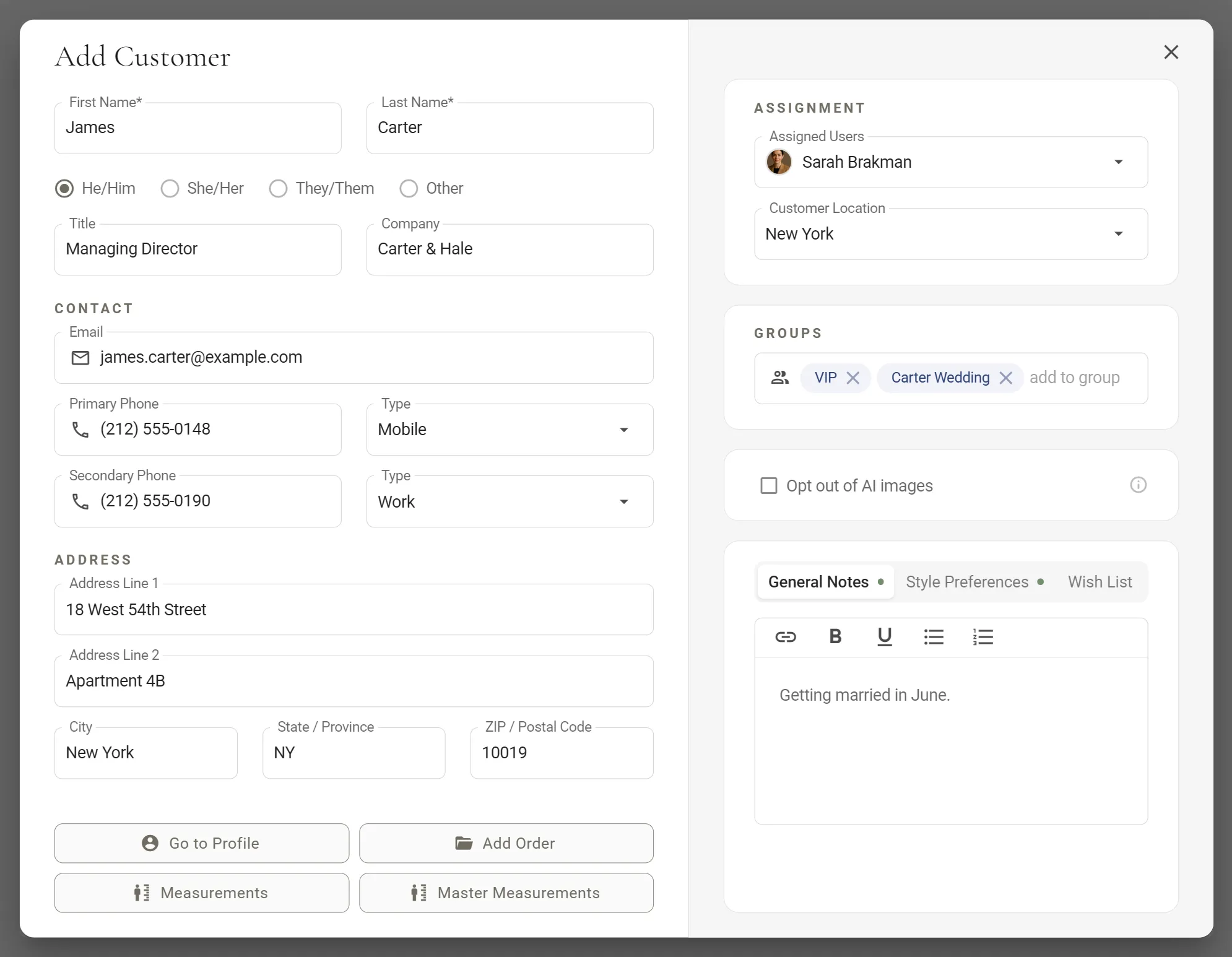
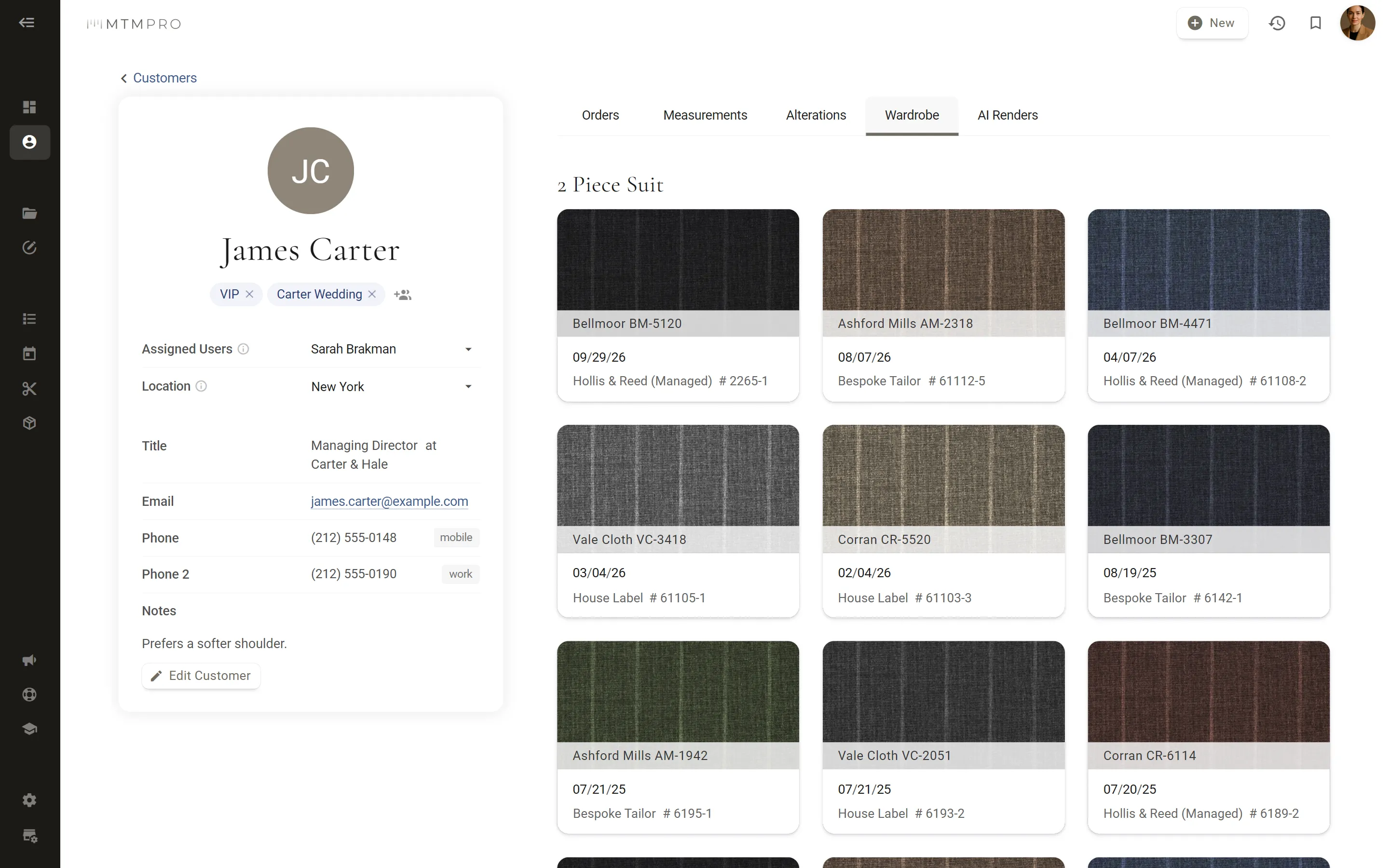
Bring your customers in from Excel or CSV, matching each column to a field. Every profile keeps notes in three tabs (General, Style Preferences and Wish List), groups such as VIP or a wedding party, the people assigned to it, and a Wardrobe of every garment with its fabric.

Each order keeps a payments log: full, half or any amount, with its receipt number.
Adding customers →
The customer record · notes, wardrobe and payments
NewAsk Aria about any customer or order. It only sees what you can.
Also in Workflow

The rest of the back office.

Your own sign-in page, a profile that asks for what you need, a weekly email with the numbers, and support without leaving the app.

  • Your own domain

    On the Scale plan

    Run MTMPRO at an address of your own, such as app.yourshop.com, with your logo and background on the sign-in and password pages.

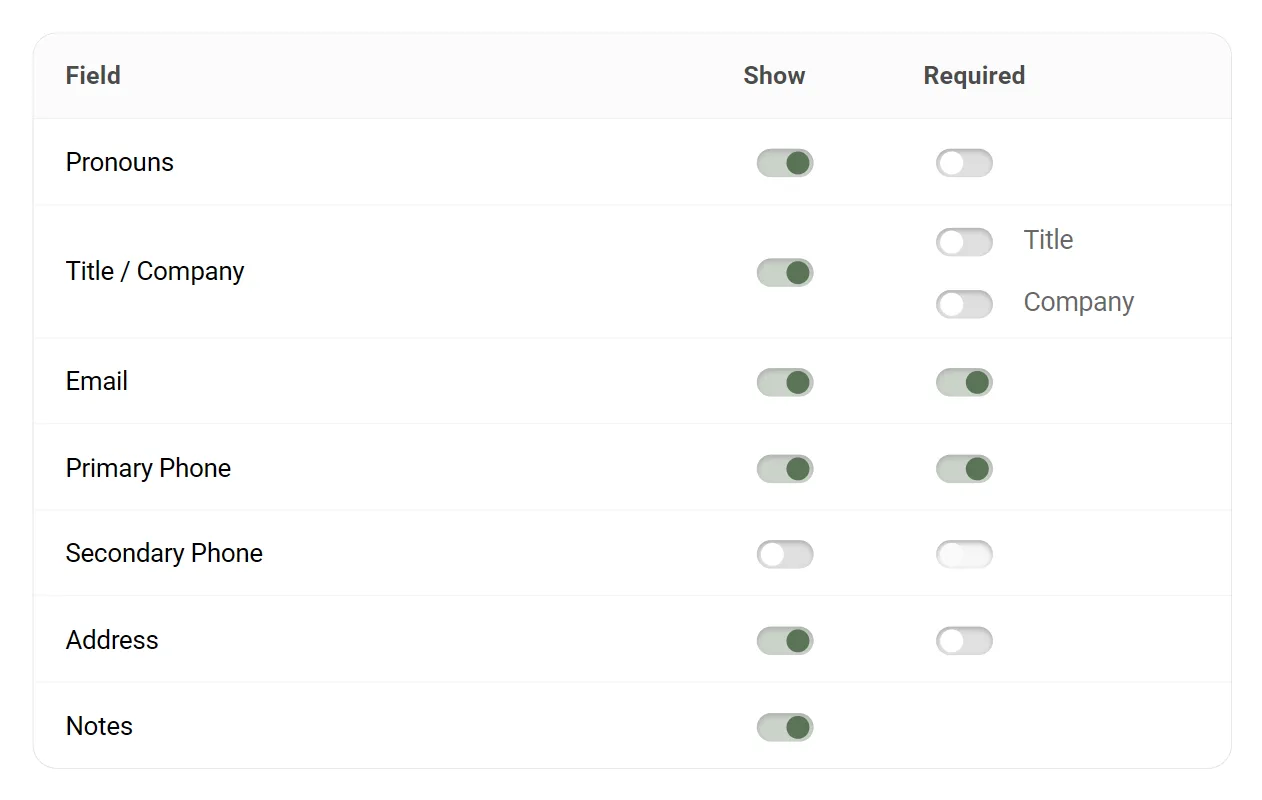
  • Required customer fields

    Choose which fields the Add Customer form shows and which it requires, so every new profile arrives with what your team relies on.

  • Two people, one order

    Open an order a teammate is already working in and MTMPRO tells you who it is, and that changes made at the same time can overwrite each other. Go back, or carry on knowing.

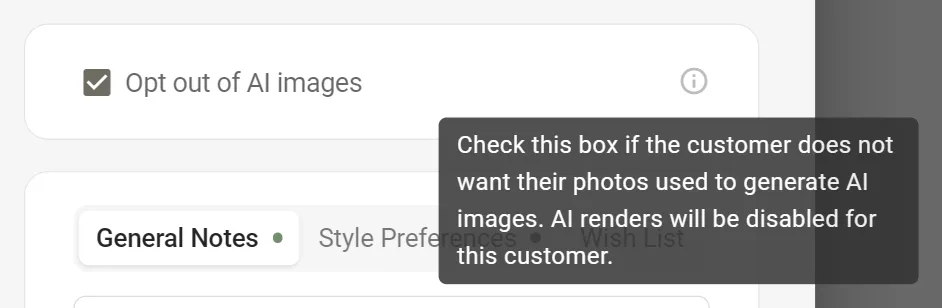
  • AI image opt-out

    One tick on a customer's profile and their photos are never used for AI images: AI Style Renders are switched off for them.

  • The weekly summary

    Owners and Admins get the week in one email: revenue, orders, garments and average order value against the week before, month to date and year to date, with the latest orders.

  • Support inside the app

    Open a support ticket without leaving MTMPRO and follow it as a chat. The guides and What's New are a click away too.

Questions

Workflow, answered.

Who is notified when an order is ready for review?
The team members you pick as reviewers in the Review Process settings. Marking an order for review moves its garments to Ready for Review and notifies them under the bell in MTMPRO; with Slack connected, the channel gets a post too. Both are on the Premier and Scale plans.
Can I limit what an associate sees?
Yes. With restricted access an associate sees only the customers assigned to them and the ones they add, and you decide whether they can submit orders, delete their customers and use Aria. Owners and Admins see every customer. The Free plan has two users and no permission settings.
How do multiple locations work?
Add each location to your account and assign your team to them. New customers and orders take the location of the person who creates them, and new orders ship to your default Ship To unless it is changed on the order. On Business and Premier, add a second location and each one is $50 a month, up to 5 on Business. On Scale, every location is $50 a month. See Pricing.
Can I import my customers' measurements?
No. The customer import takes contact details from an Excel or CSV file (.xlsx, .xls or .csv), and you match each column to a field. Measurements are entered in MTMPRO.
Does MTMPRO handle alterations on garments a customer brings in?
No. An alteration ticket belongs to one garment ordered through MTMPRO, so alterations on clothes made elsewhere are not tracked.
Can customers pay through MTMPRO?
No. MTMPRO does not take card payments. The payments log on each order records what was paid (full, half or another amount) with the receipt number, and shows the order as Unpaid, Partial or Paid.
Begin

Don't waste another minute.

Time is the most valuable resource you have. Imagine what you could do with more of it.

Start freeFree to sign up · No credit card required