Start free
Platform · AI Style Renders

Show your customer the garment before the cloth is cut.

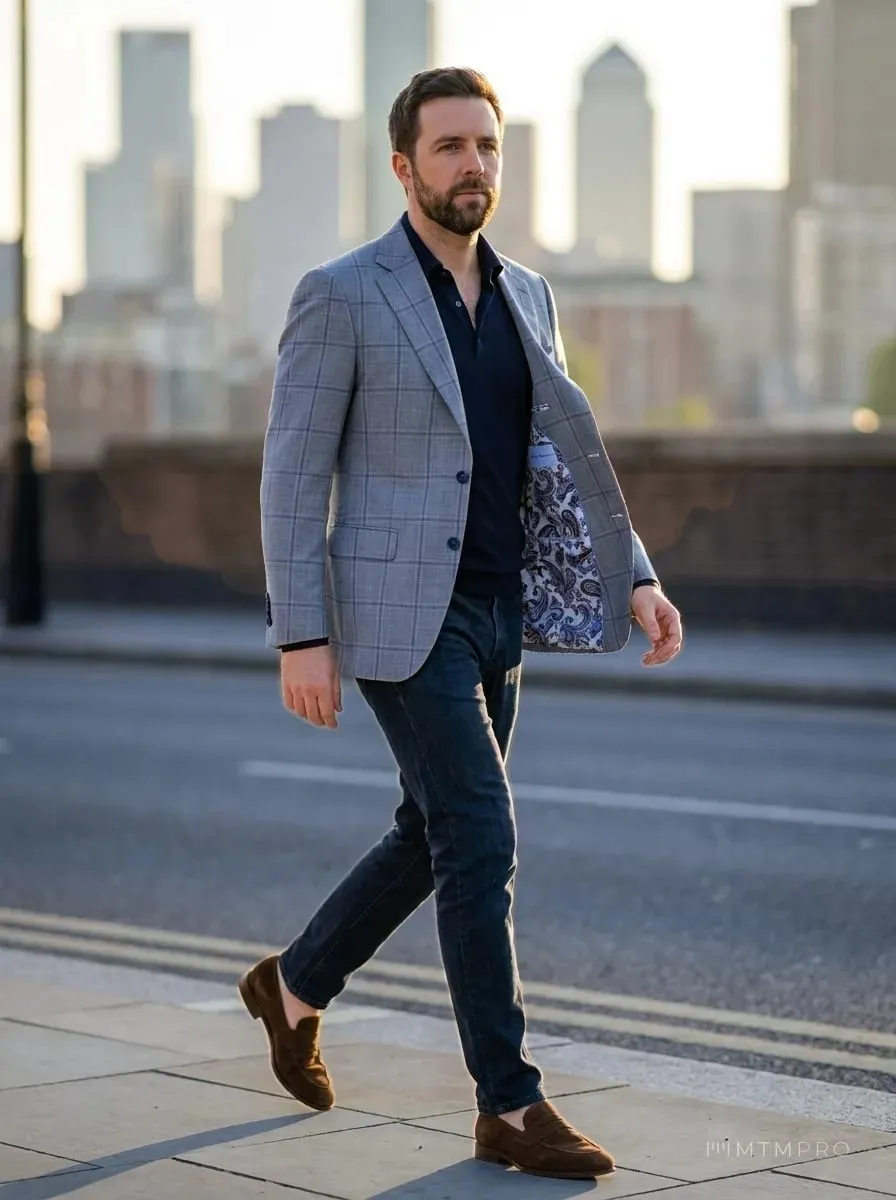
From their own photos, the cloth on the order and every style option you chose, MTMPRO renders your customer wearing the garment: in the studio, showing off the lining, or out in the city.

Free to sign up · No credit card required
  • Five views, 1K or 2K
  • Checked for likeness
  • Credits on every plan
How it works

Everything a render needs is already on the order.

The customer's photos, the fabric and the style you saved. Open the garment, choose the views, and in a minute or two your customer is looking at themselves in it.

From the order

One click on the garment you are making.

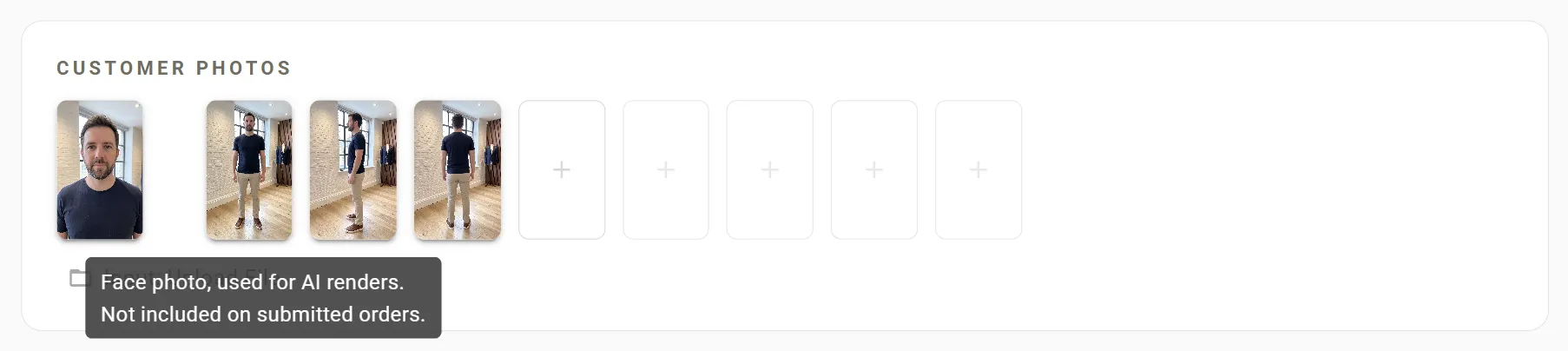
The render icon sits on every garment's row. It opens Generate AI Render, which works from what the order already holds: the customer's face photo and their front, side and back photos, the garment's fabric photo, and every style option saved on it, down to your manufacturer's own option pictures.

Nothing to retype, and nothing to upload twice: the face photo belongs to the customer, so every order of theirs can use it.
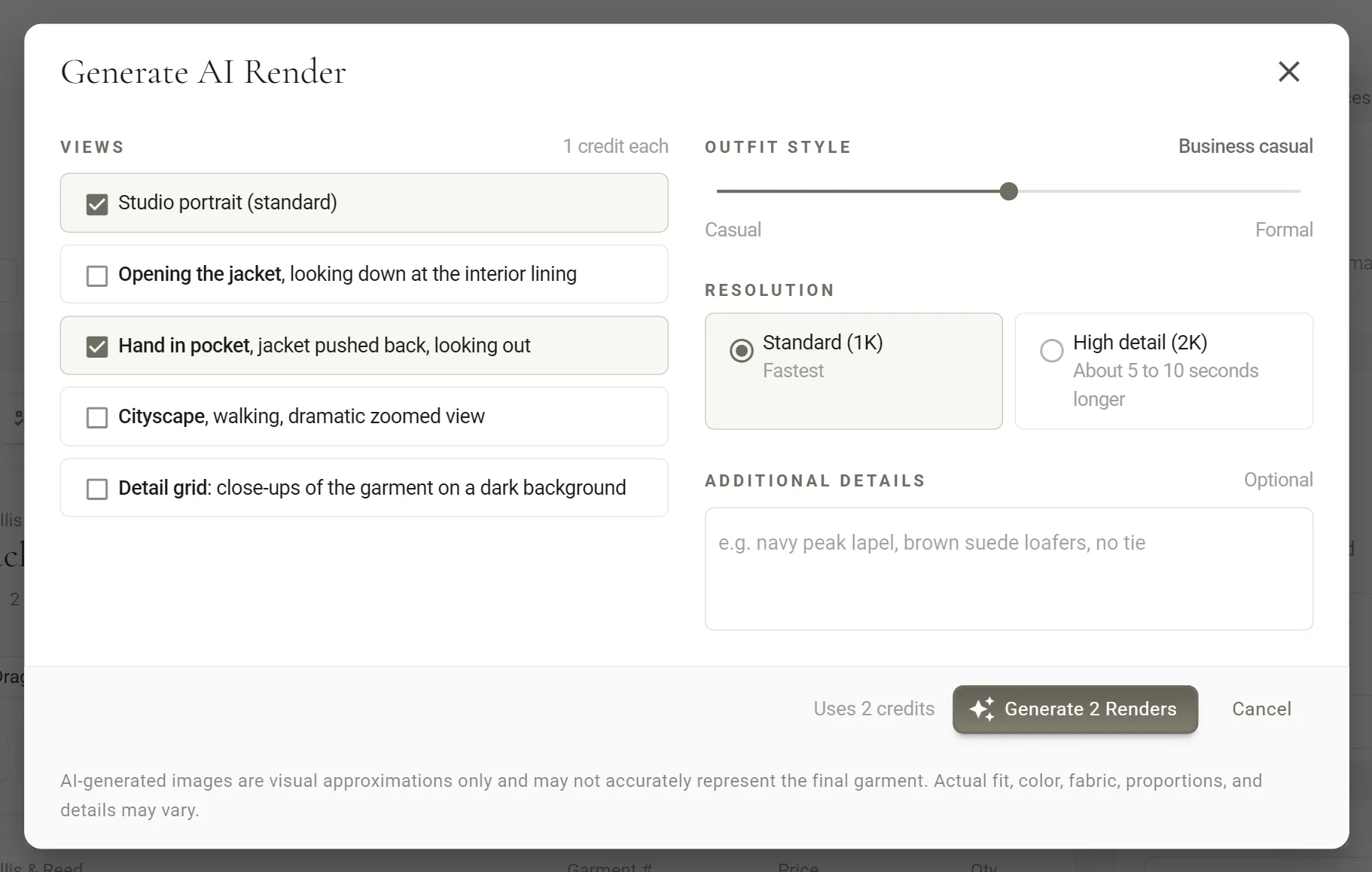
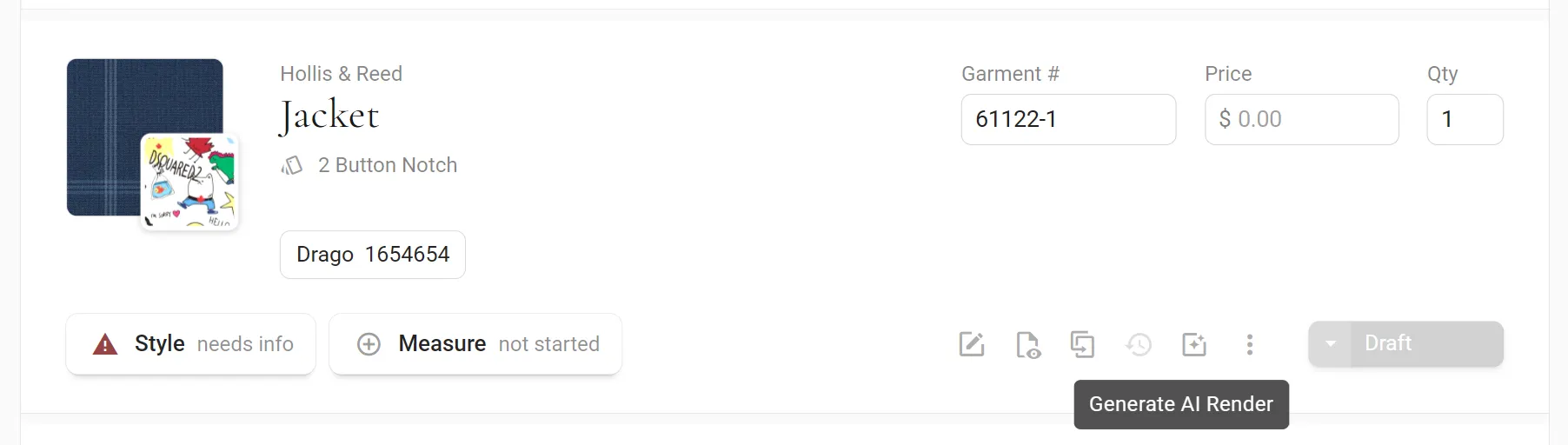
Generate AI Render · opened from the garment's row
Five views

Studio, lining, hand in pocket, city, and a sheet of details.

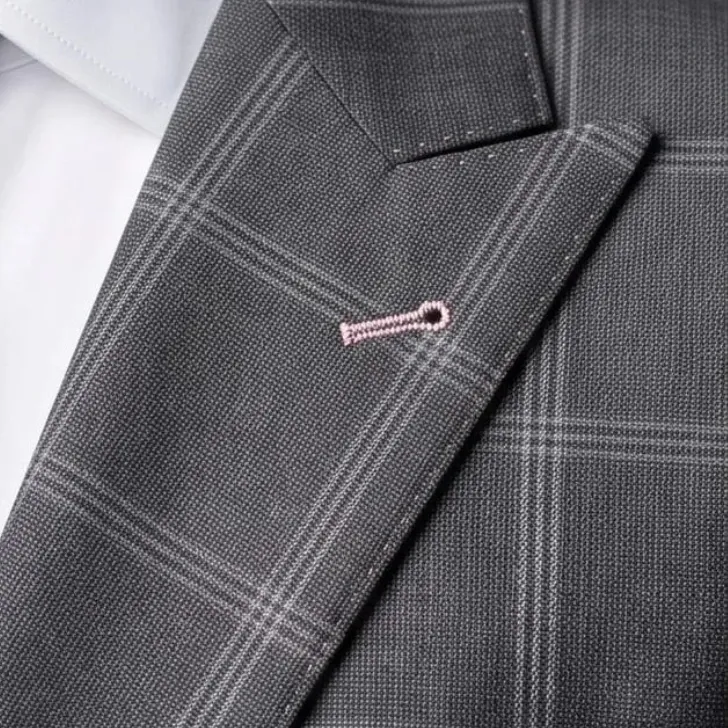
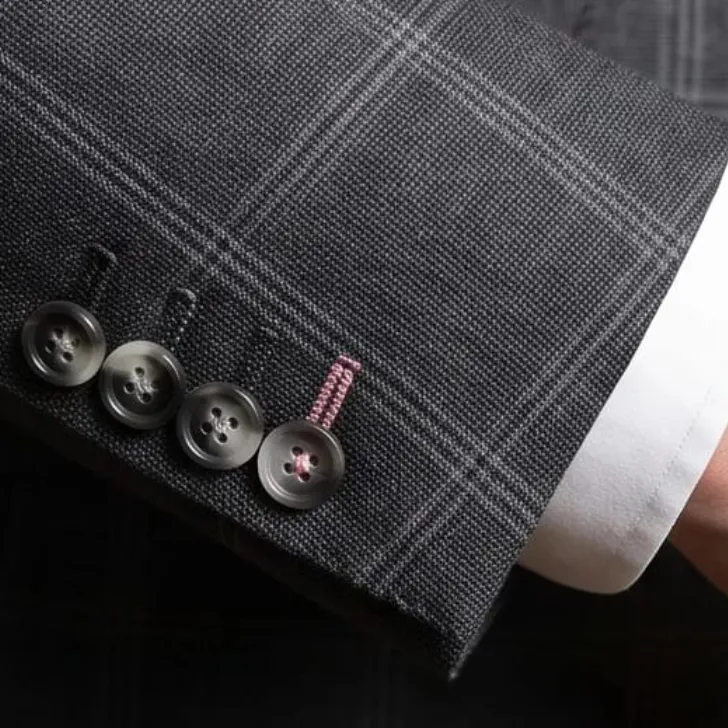
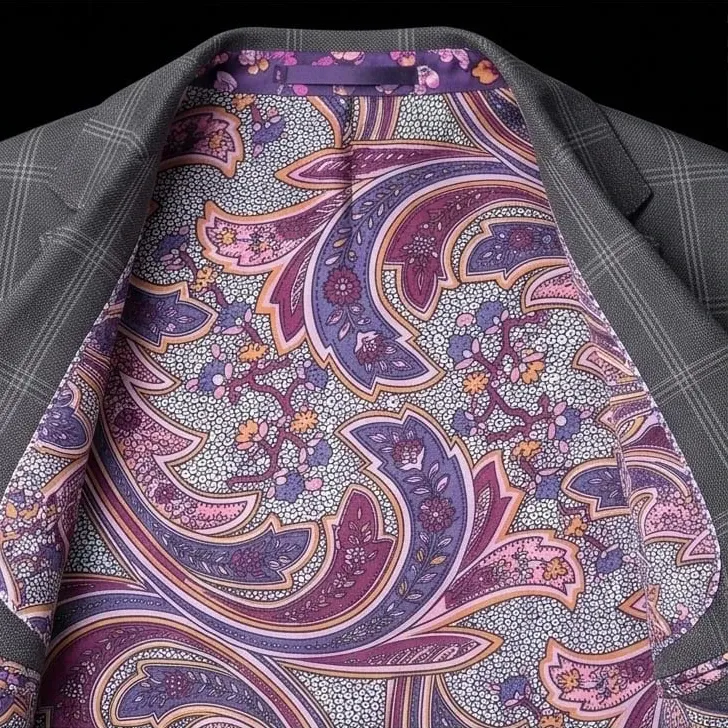
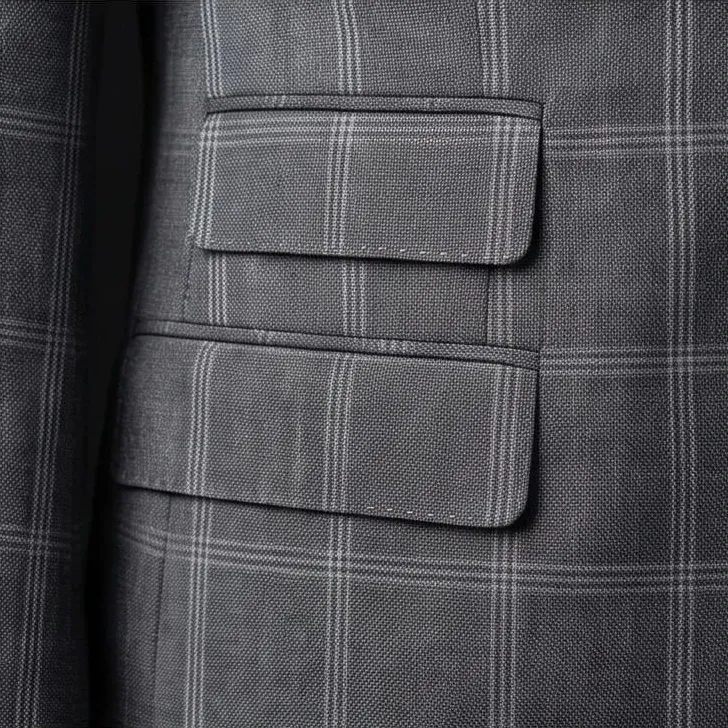
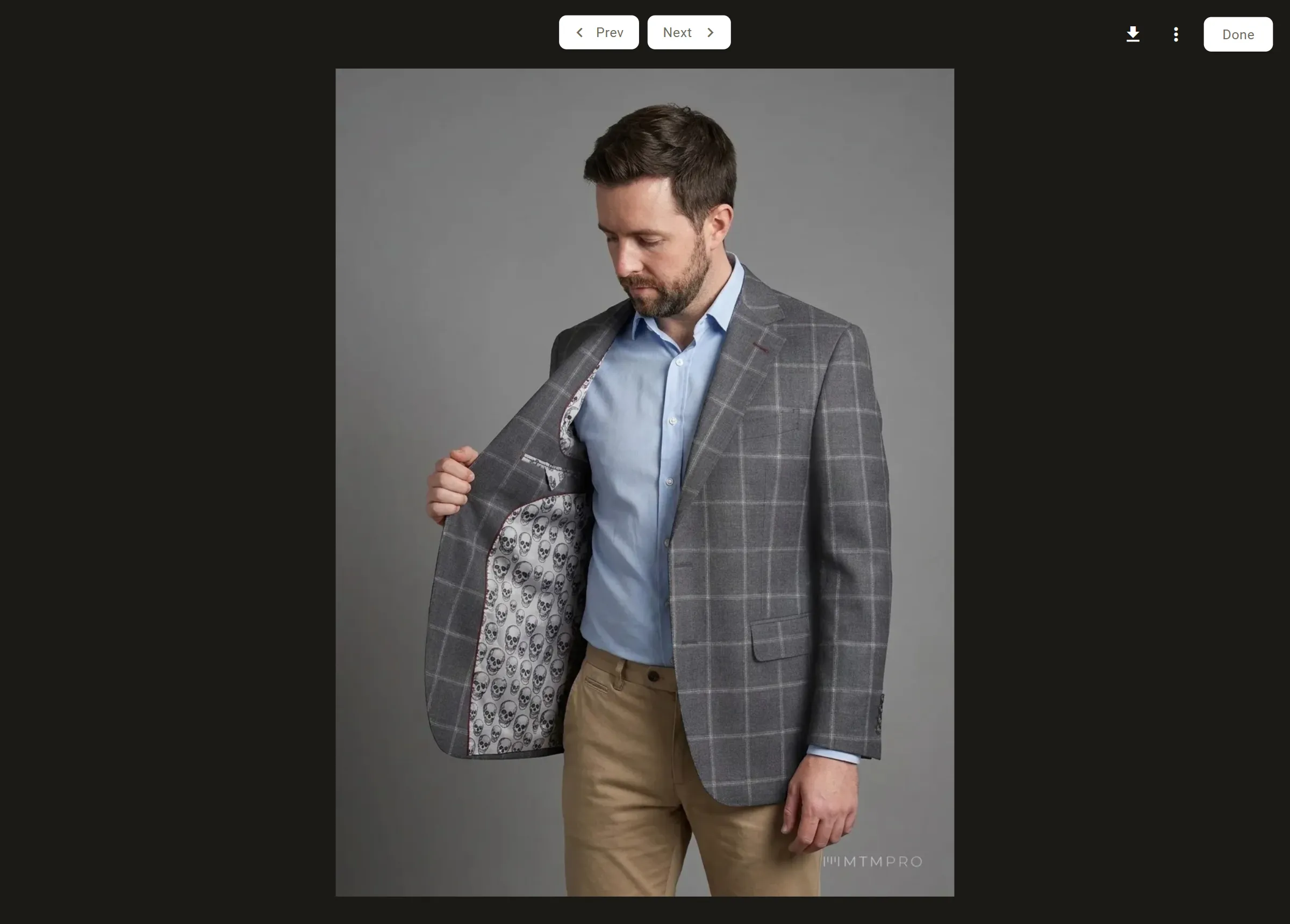
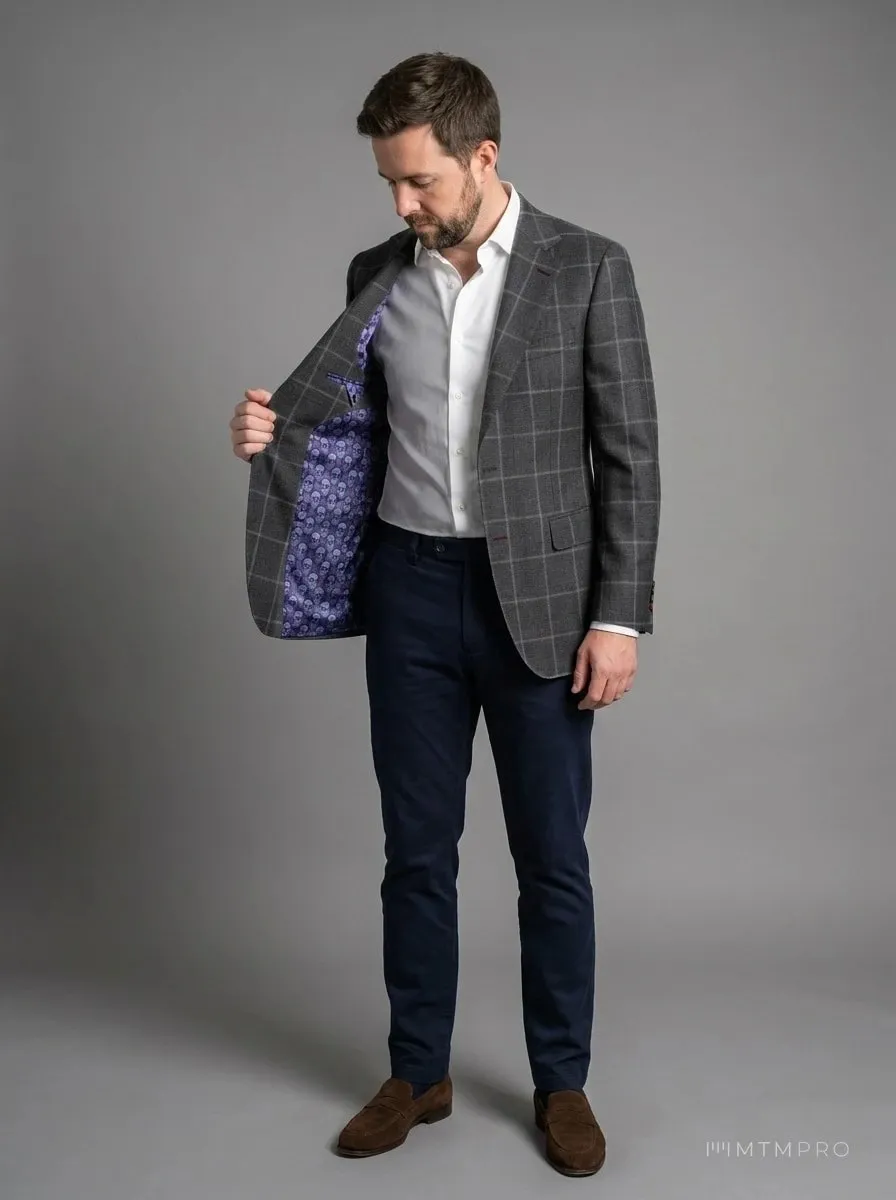
Tick the views you want and each one is a picture of its own: a full-length studio portrait, the jacket held open on its lining, a relaxed hand in pocket, a walk down a city street, and a Detail grid of close-ups of the garment alone.

Pick Standard (1K), the fastest, or High detail (2K) for a sharper picture. Outfit Style dresses everything the garment does not include, from Casual to Formal.
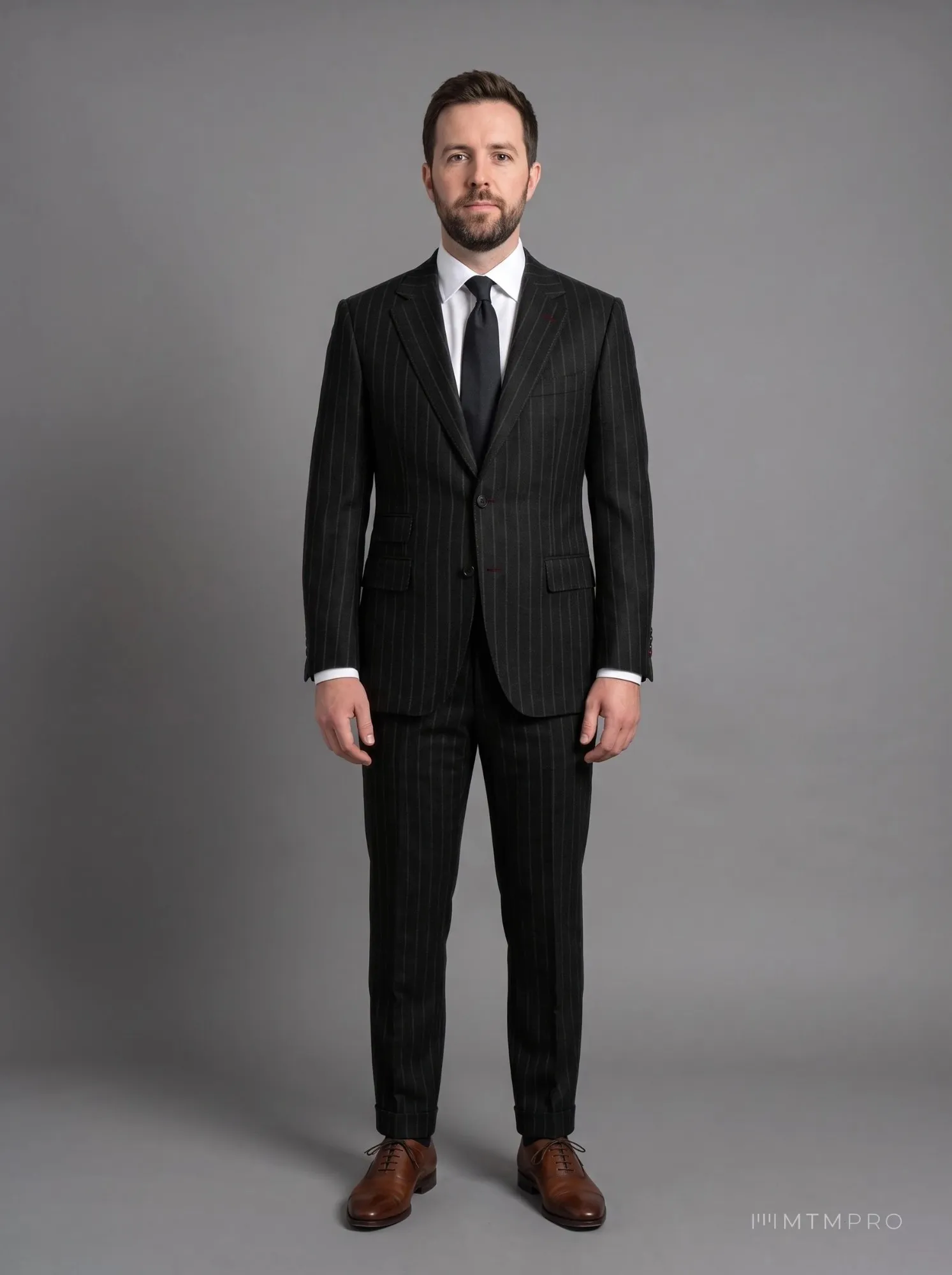
Render: Studio portrait
Views1 credit each
Hand in pocketRelaxed, the jacket pushed back
Resolution1K2K · 2 credits
Real renders from MTMPRO · pick a view
Likeness check

Every picture is checked before it is kept.

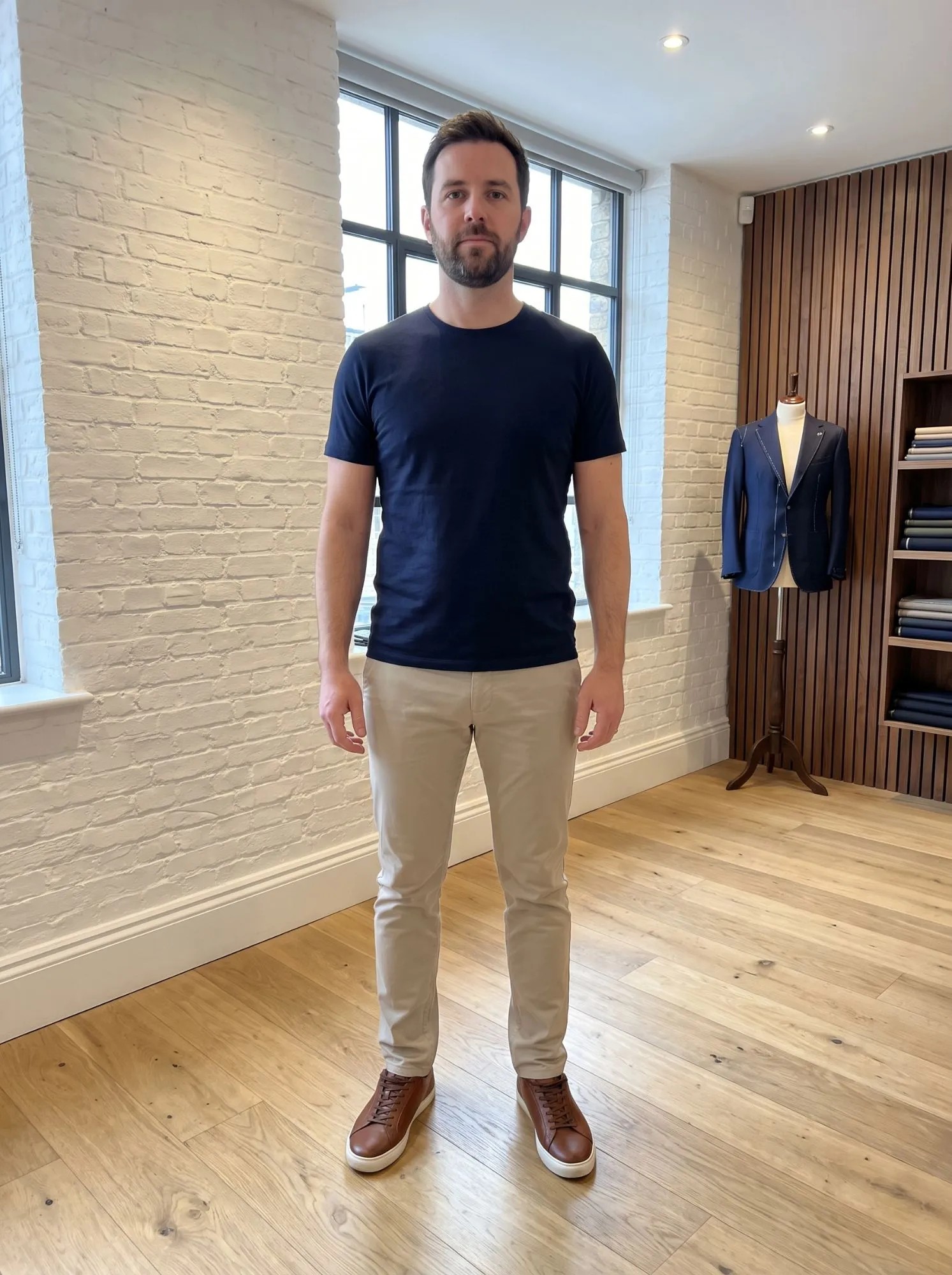
An image model gets a face wrong more often than you would think, so MTMPRO makes three pictures for each portrait and checks every one: the face against the face photo, the build against their photos, glasses and facial hair, every piece of the garment in the one cloth, and the pattern at the swatch's scale.

A picture of somebody else is never saved. When no picture shows your customer, nothing is kept and no credit is used.
Renders on an order · each one checked first
Your customer decides

Their photos, their choice.

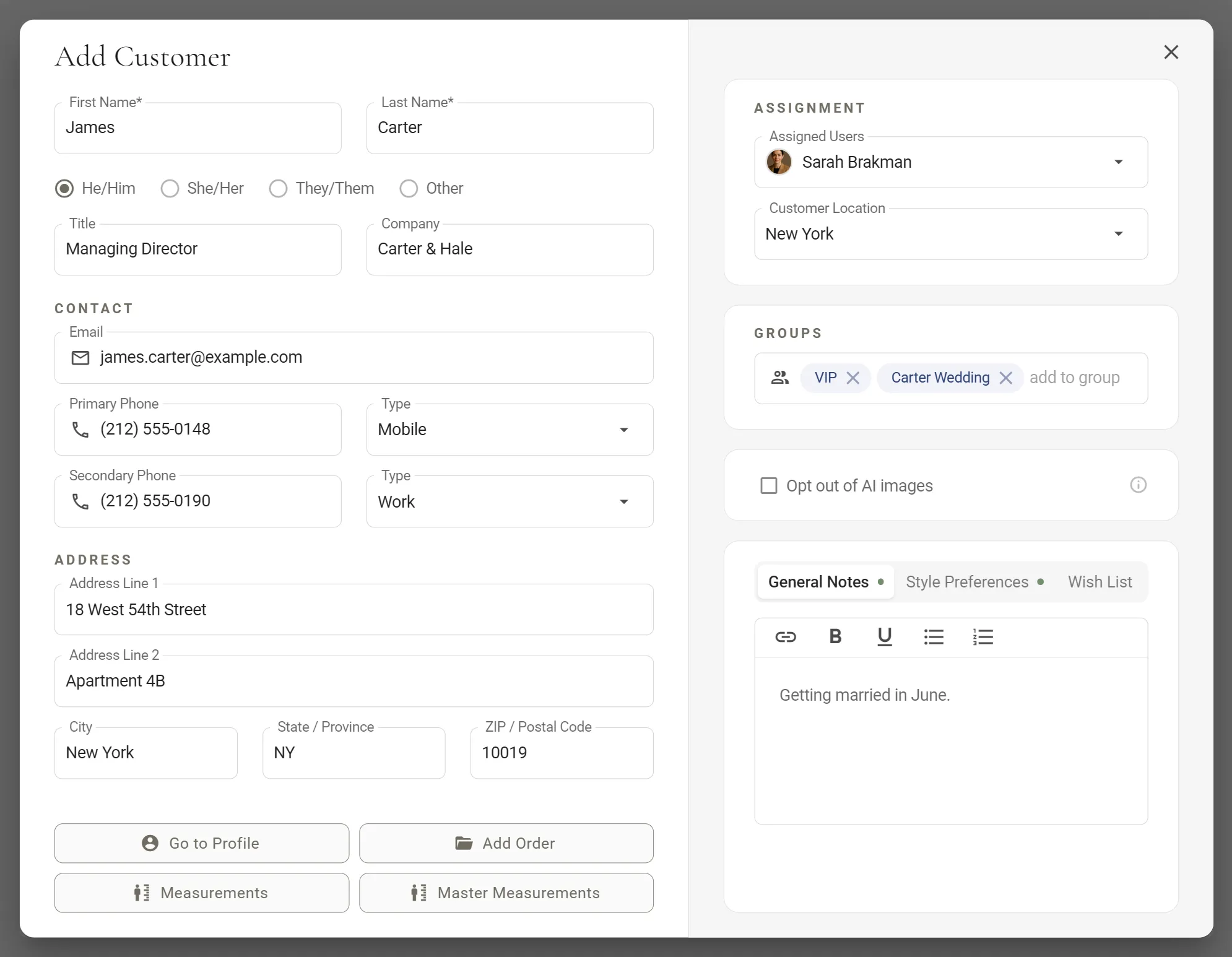
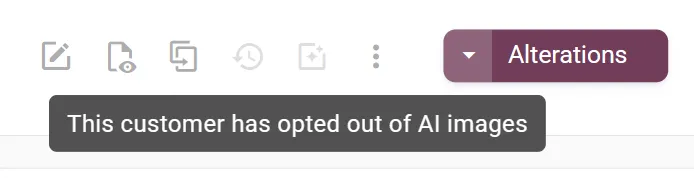
For a customer who would rather not, tick Opt out of AI images on their record. The render icon greys out on every garment of theirs, and MTMPRO will not make a render for them.

Renders stay with you: they are not added to the order's PDF or sent to the manufacturer, and the face photo is not included on submitted orders. The dialog says it plainly, too: a render is a visual approximation, not a proof of the finished garment.
Add Customer · the AI opt-out on the customer's record
Render credits

Credits every month, on every plan.

A picture uses 1 credit at 1K and 2 at 2K, and only once it is saved. Every plan includes credits each month: 5 on Free, 10 on Business, 20 on Premier and 80 on Scale.

For a busy month, packs start at 20 credits for $20 and never expire, and auto top-up buys one for you when credits run low, up to a monthly limit you set. See pricing.
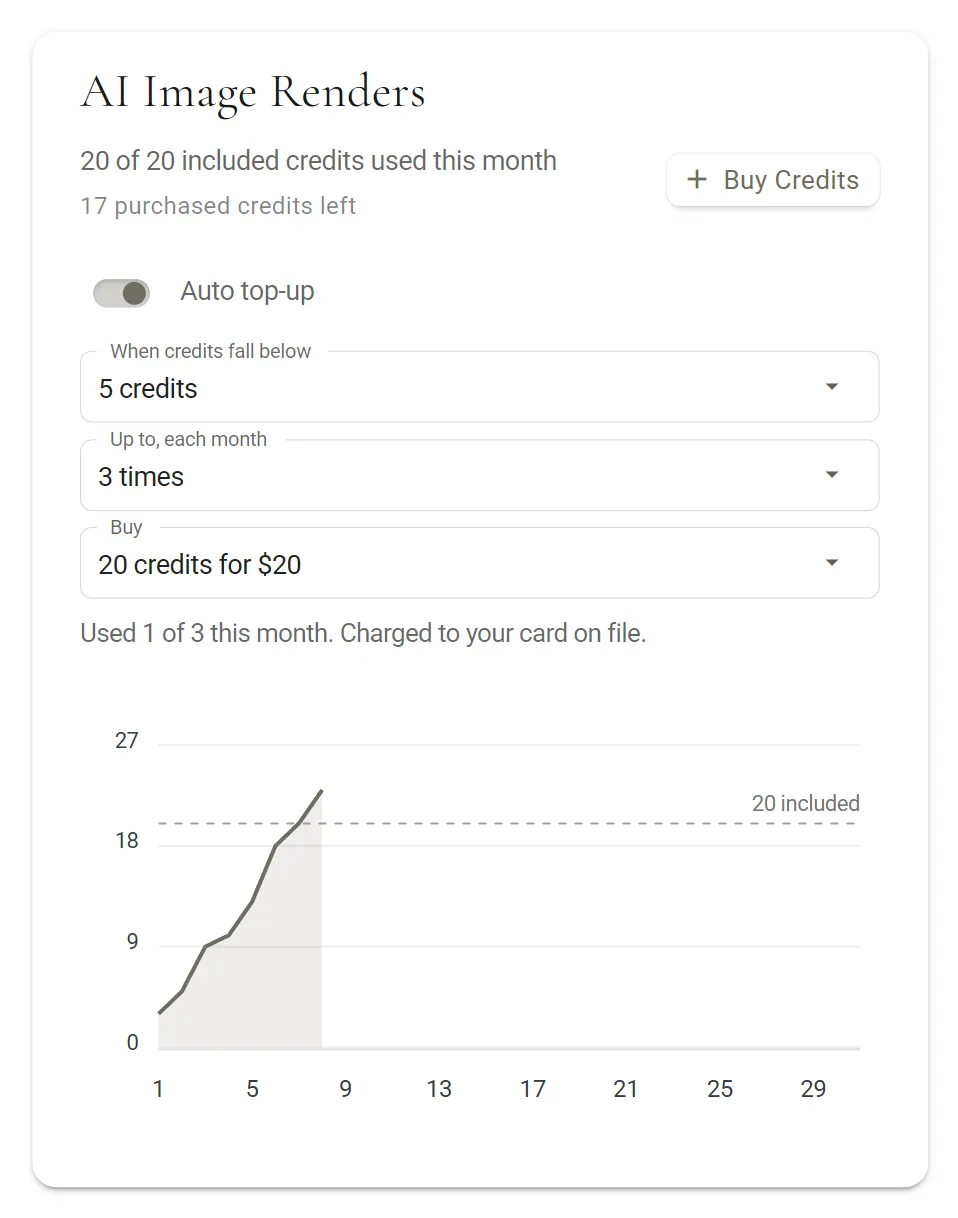
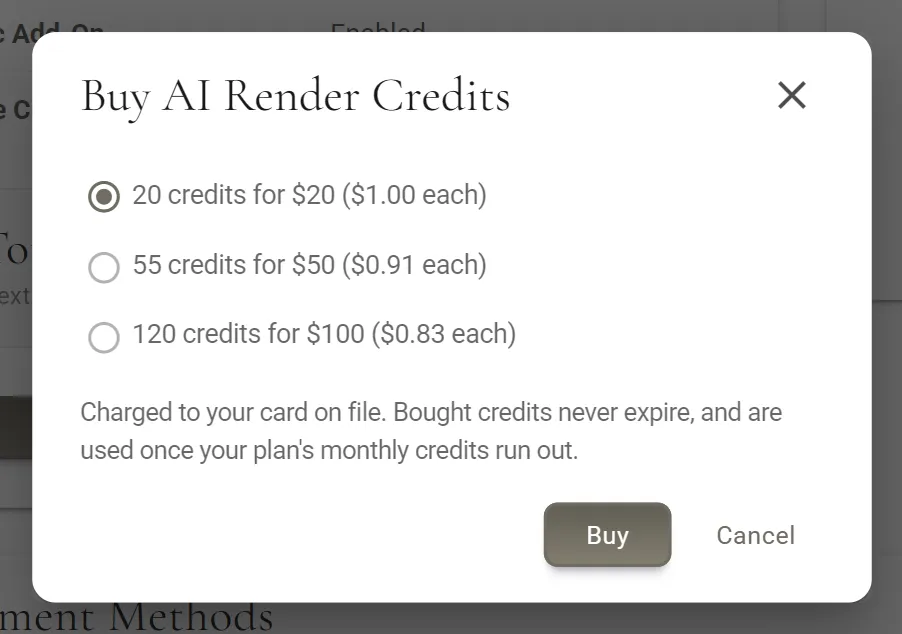
Billing · AI Image Renders, with auto top-up
NewBuild the order by voice with Aria, then render it.
After the render

Kept with the order, ready to show.

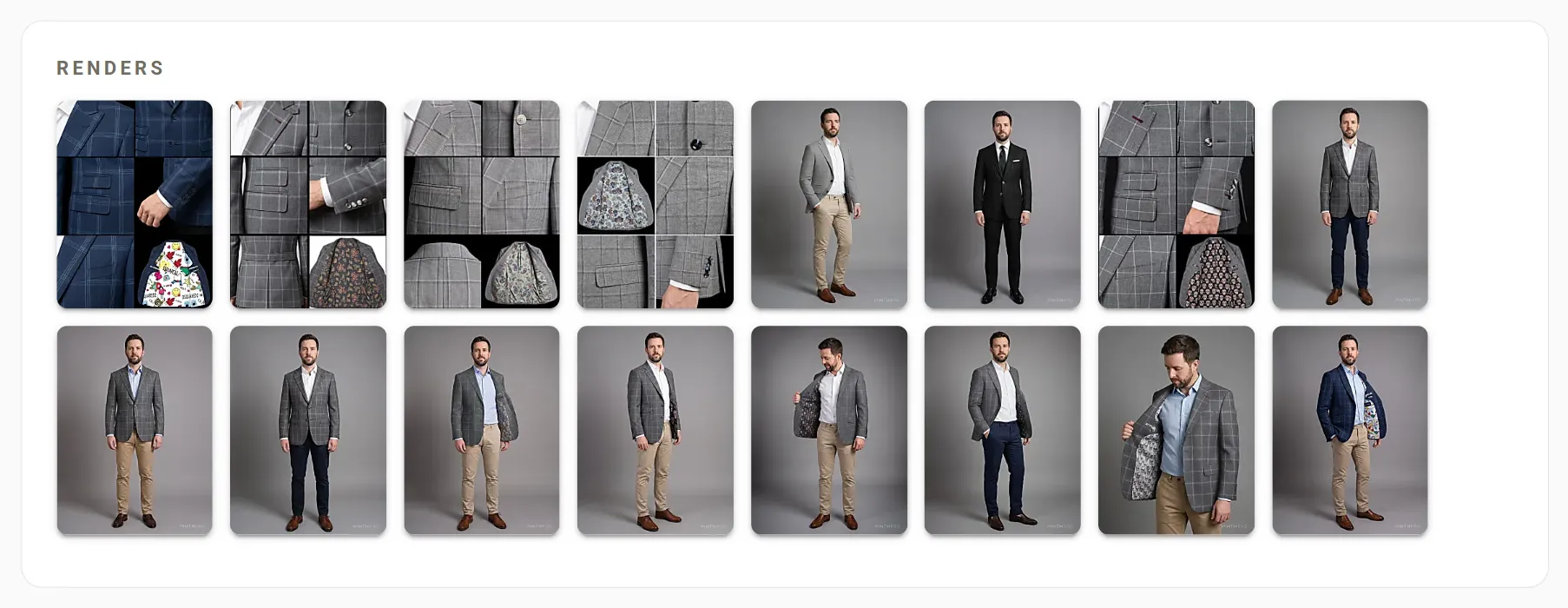
Every picture lands on the order and on the customer, ready to open full size, download, or make again in another view.

  • On the order and the customer

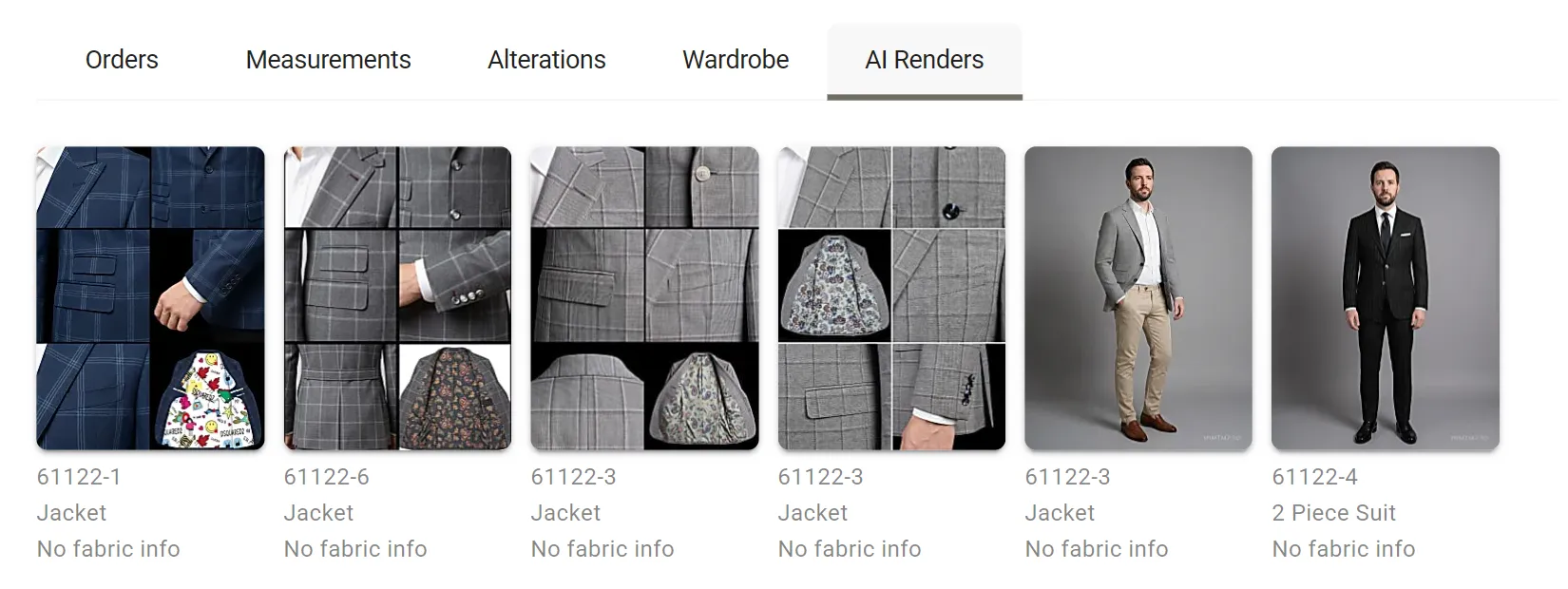
    The order's Renders card shows its pictures, newest first. The customer's AI Renders tab keeps every one from every order, labelled with the garment number, the garment type and the fabric.

  • A viewer made for showing

    Open a render full size on a dark screen, step through the rest with Prev and Next or the arrow keys, and hover over the picture for a magnifier to look closer.

  • Dress it up or down

    Outfit Style sets the shirt, trousers and shoes around the garment, from Casual to Formal. Add your own direction in Additional Details: brown suede loafers, white pocket square.

  • Download it, send it

    Save any render as a JPEG to send your customer with your follow-up after the fitting. If your store has a logo, it is on every picture.

  • Keep working while it renders

    The dialog closes straight away. Renders are made while you carry on with the order or start another garment, and Render complete tells you when one is ready, most in a minute or two.

  • Anyone on the floor can render

    Owners, admins and associates can all make, view and download renders. Credits belong to the store, and only the owner buys them or sets up auto top-up.

Questions

Before your first render.

The full AI Renders guide, for MTMPRO customers →
What does MTMPRO need before it can make a render?

Three things on the order: a face photo of the customer, at least one customer photo (front, side and back give the truest build), and a photo of the garment's fabric. The style options already saved on the garment are used as they are.

How long does a render take?

Most take a minute or two. The dialog closes at once, so you can keep working on the order while it runs, and a High detail (2K) picture takes about 5 to 10 seconds longer than Standard (1K).

What if the picture does not look like my customer?

Each portrait is checked against the face photo before it is kept, and a picture of somebody else is never saved. If no picture passes, nothing is kept and no credit is used. A clear face photo, looking at the camera, usually helps.

Can a customer say no to AI images?

Yes. Tick Opt out of AI images on the customer and renders are switched off for them. Renders are never added to the order's PDF or sent to the manufacturer, and the face photo is not included on submitted orders.

How do render credits work?

A picture uses 1 credit at 1K and 2 at 2K. Every plan includes credits each month (5 on Free, 10 on Business, 20 on Premier, 80 on Scale), which start again on the first and do not carry over. Packs of 20 for $20, 55 for $50 or 120 for $100 never expire, and auto top-up can buy them for you up to a monthly limit you set.

Will the finished garment look exactly like the render?

Not exactly. A render is a visual approximation: fit, colour, fabric, proportions and details may differ in the finished garment. Use it to see the choices together before the order goes to your manufacturer.

Begin

Don't waste another minute.

Time is the most valuable resource you have. Imagine what you could do with more of it.

Start freeFree to sign up · No credit card required