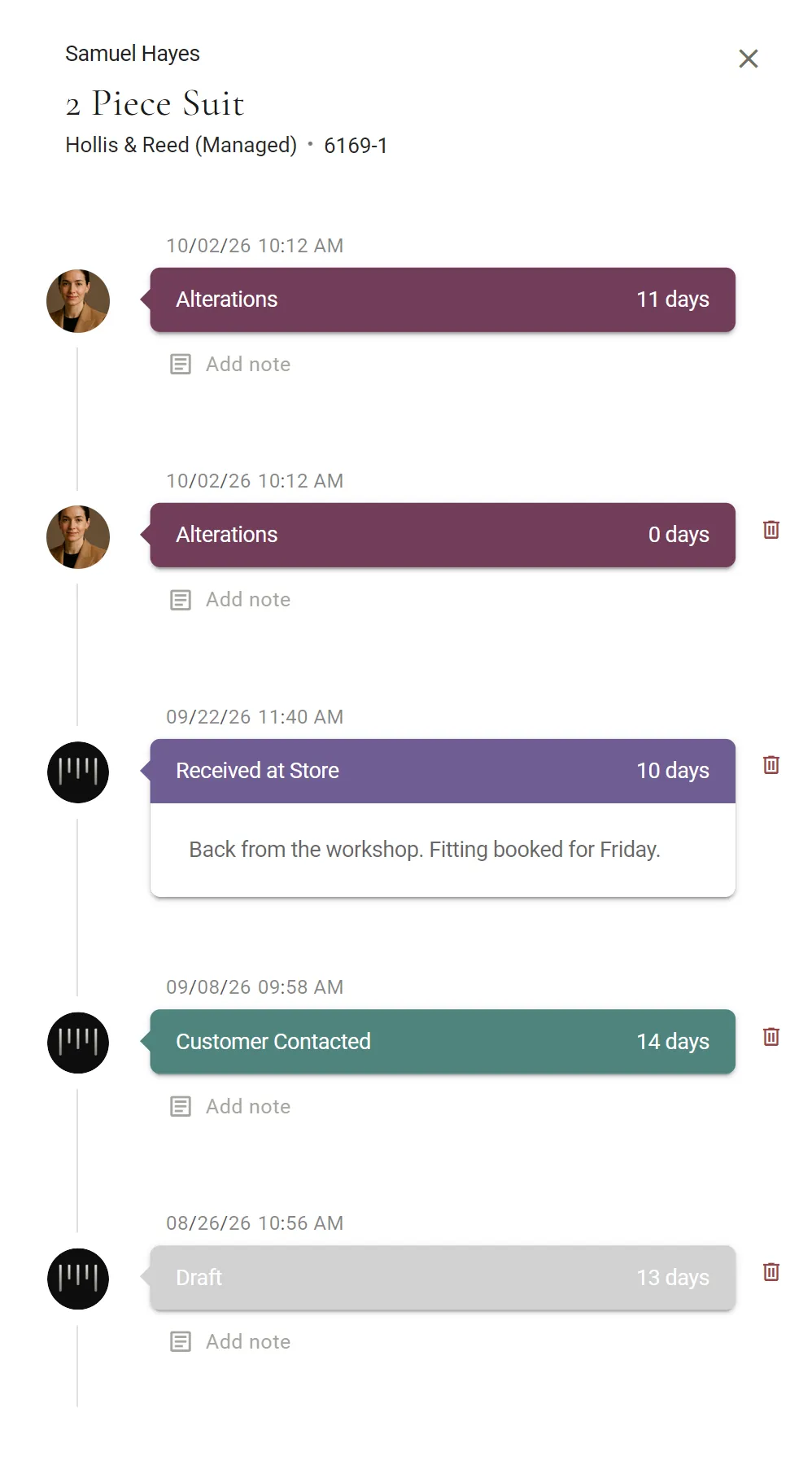
Every garment keeps its own history.
A garment moves from Draft to Delivered one status at a time, and each change is logged with the date, the time and who made it, with room for a note. The changes MTMPRO makes on its own are marked as system actions.
Manufacturers on the MTMPRO portal move their own: Received, Production, then Shipped from Mfr when they create the shipment.

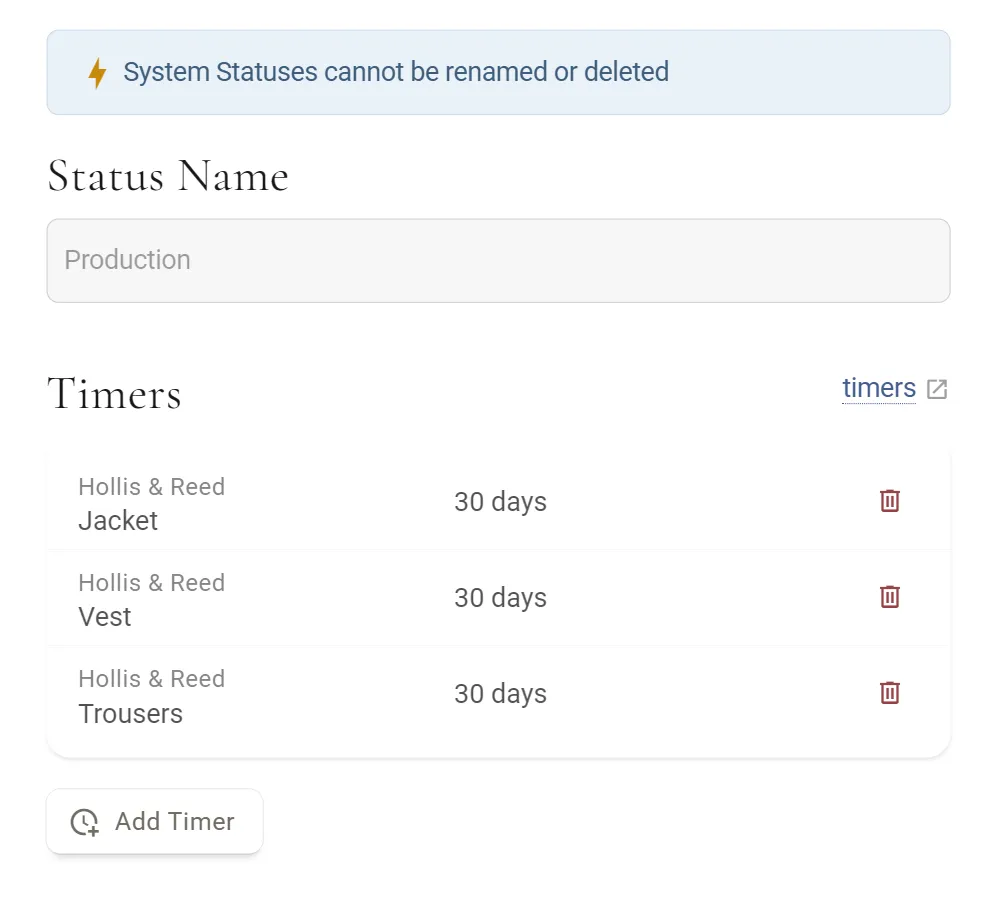
A timer on every status, so nothing sits too long.
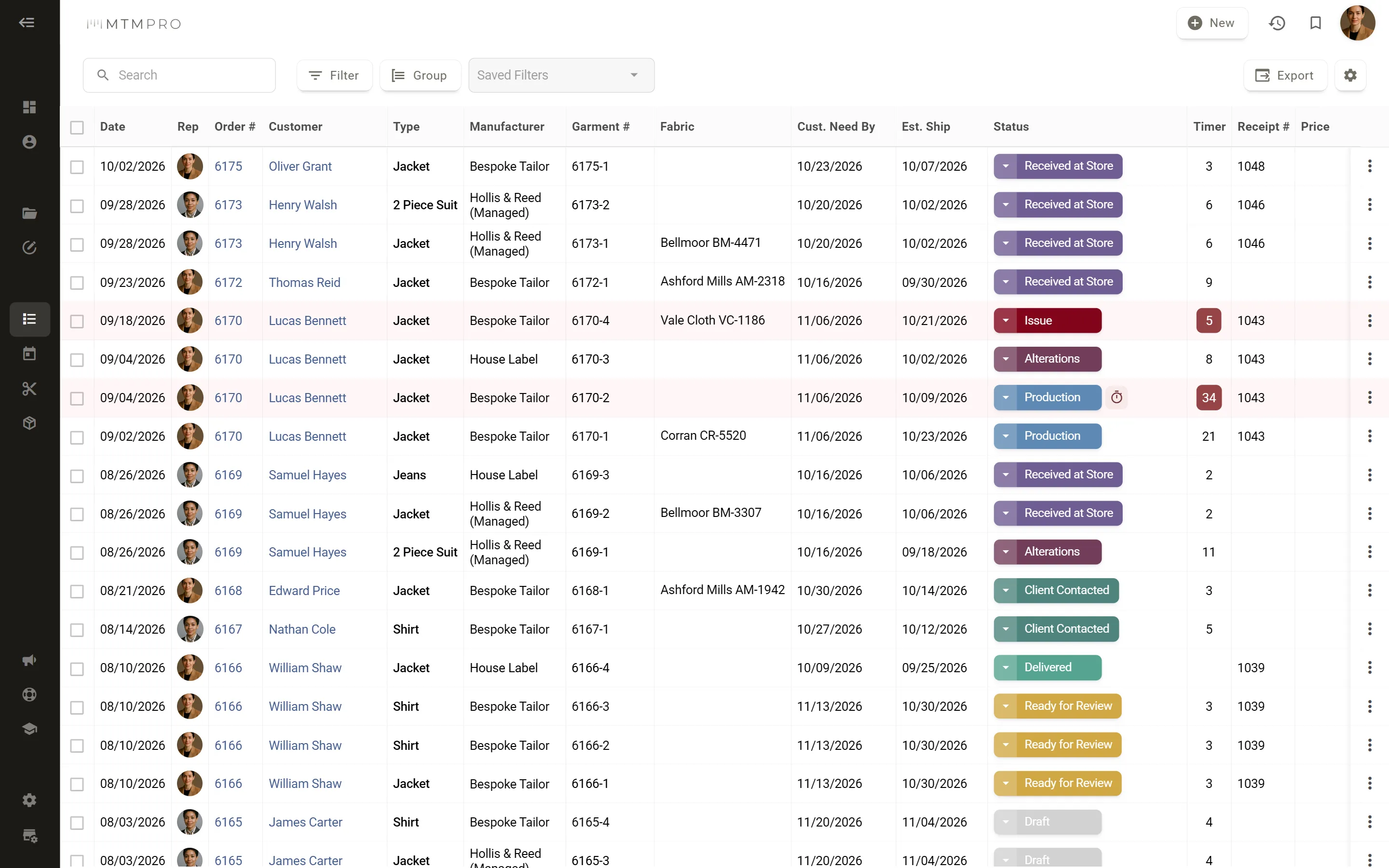
Set how many days a garment should spend in each status, for every garment or for one manufacturer's jackets and vests. The Garments list counts the days, a garment past its timer turns red, and the Expired Timers filter lists every one that is running late.
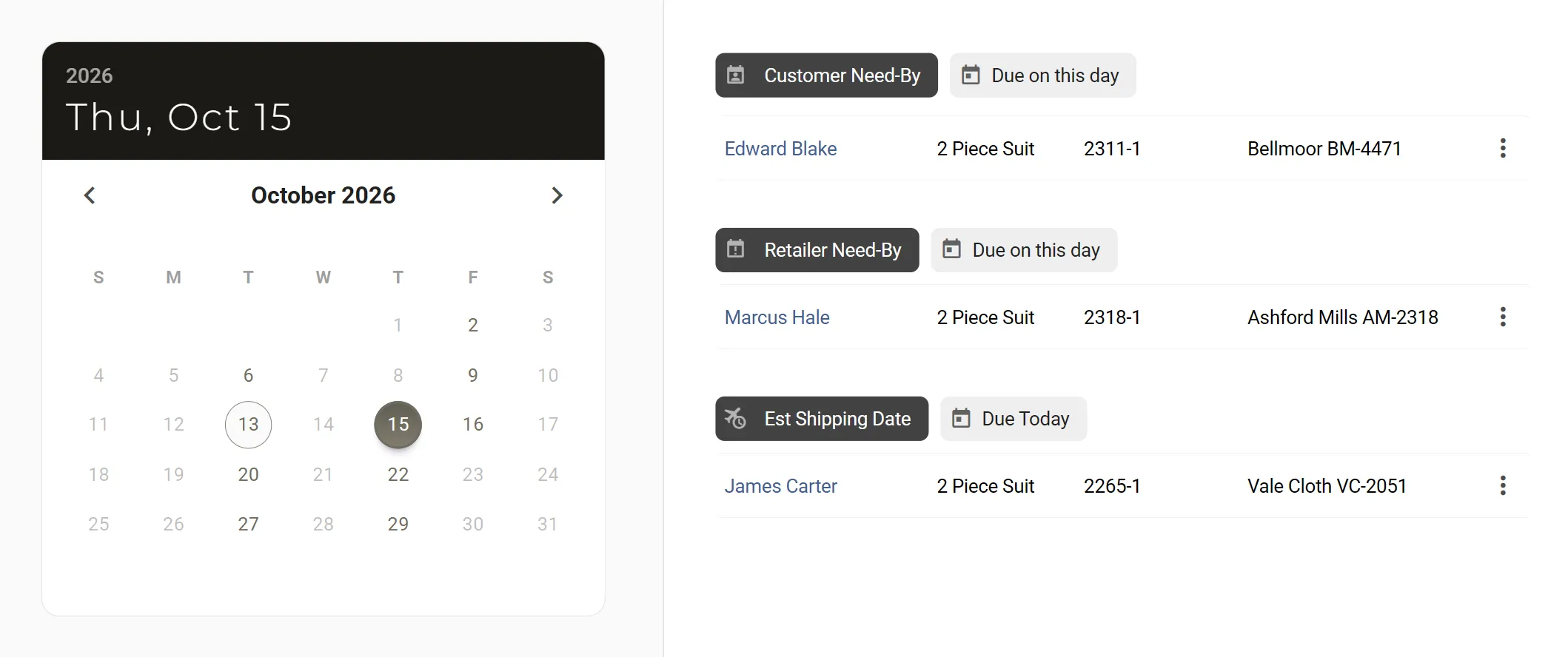
Three dates for every garment, on one calendar.
Pick a day and see what falls on it: customer need-by dates, retailer need-by dates and estimated shipping. Your customer may need the suit three days before the wedding; you need it back from the manufacturer weeks earlier. MTMPRO keeps both dates, with the manufacturer's ship date beside them.
Every garment in one list, filtered your way.
Filter by status, manufacturer, garment type, fabric, rep, group or location, or by Rush, Remake and Expired Timers, and save the filters you use most. Put a wedding party in a group, follow the Carter Wedding suit by suit, then export the list to Excel.
What is due this week, before anyone asks.
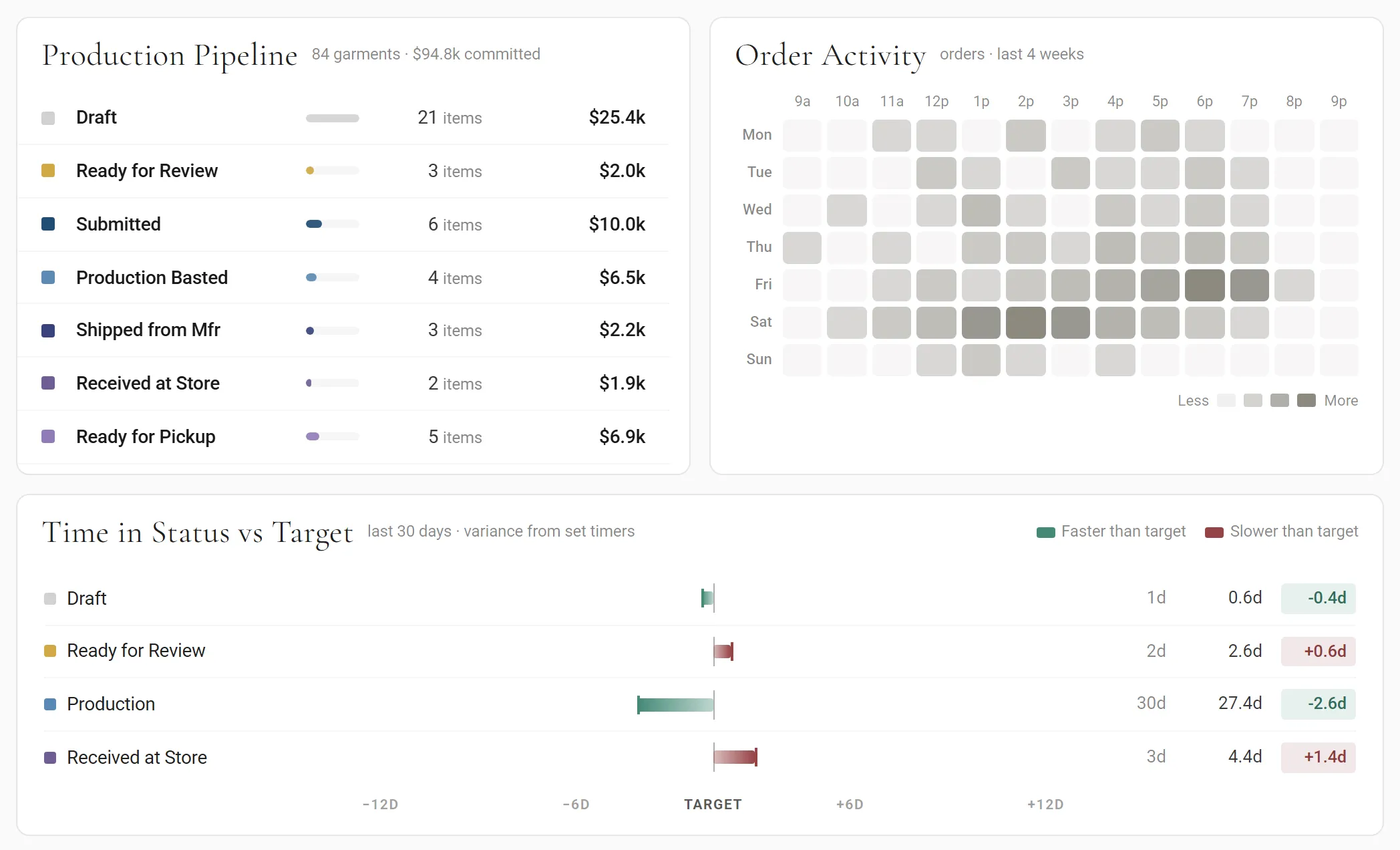
The dashboard, for owners and admins, has the production pipeline with every garment counted by status, time in status against your timers, and Due Soon, the next five days of need-by dates, estimated shipping, alterations and timers about to run out.
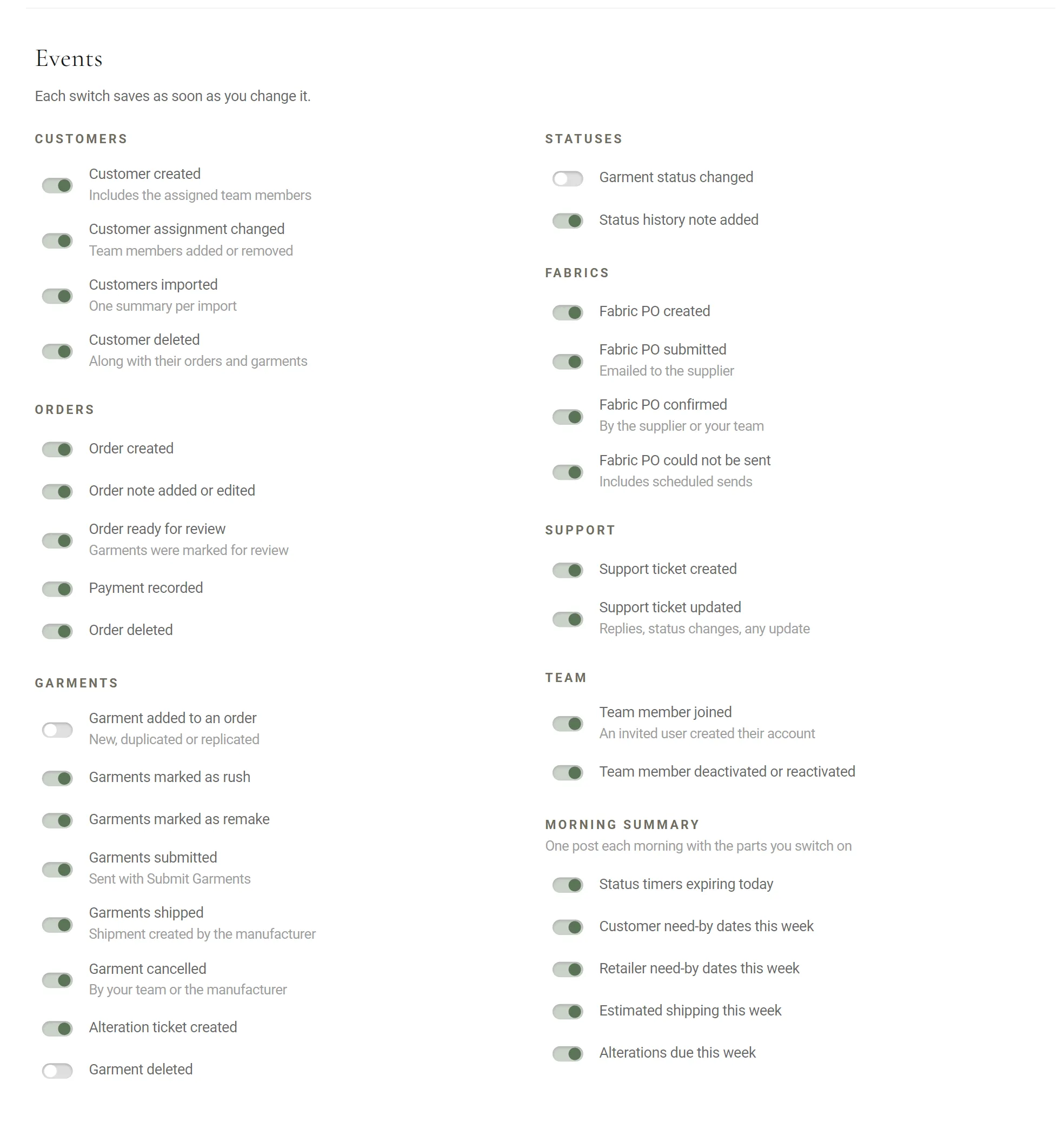
The morning summary, in your team's channel.
Connect a Slack channel and MTMPRO posts as things happen: a status changed, a note added, garments shipped by the manufacturer. Each morning one post lists the status timers expiring that day and the week's need-by dates, estimated shipping and alterations due.
 MTMPRO