Start free
Platform · Measurements

Measure once. Keep every garment in step.

Take measurements on a keypad built for fractions. MTMPRO copies each one to every garment and manufacturer that needs it, flags the number that looks wrong, and keeps a record of every change.

Free to sign up · No credit card required
  • Fractions down to ⅛
  • Inches or cm per manufacturer
  • Every change on record
How it works

From the tape to every form.

The keypad, the links between garments and the checks on every number work together, so what you measure is what your manufacturer receives.

Connected Measurements

Type the chest once. The vest and shirt already have it.

Link the fields that mean the same thing on different garments and manufacturers, posture included. Enter 41½ on the jacket and MTMPRO fills the vest from Hollis & Reed and the shirt from House Label.
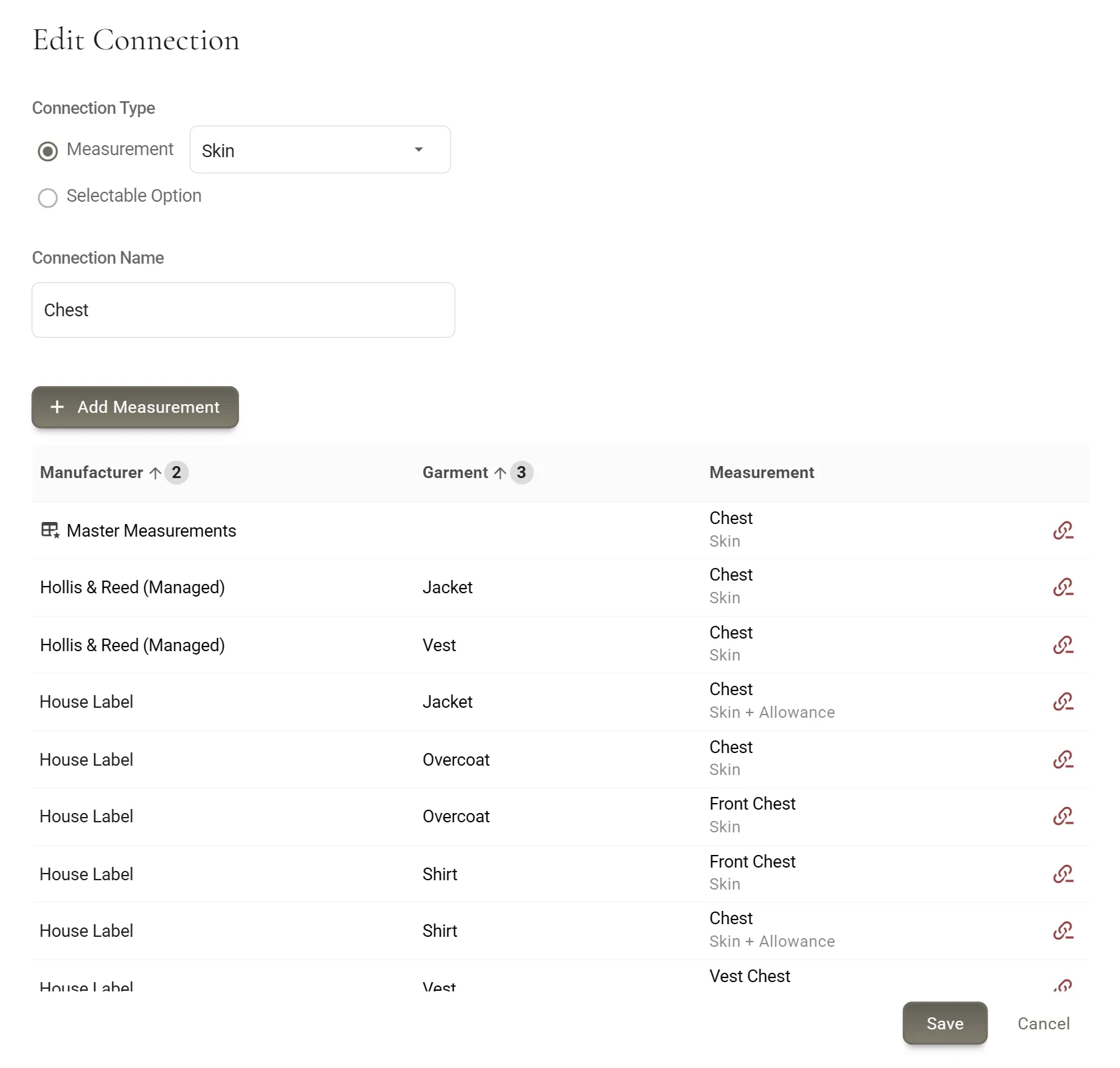
Connected Measurements · the jacket's chest, linked to the vest and shirt
Fit profiles

One default fit, and every fit that varies from it.

Keep more than one set of measurements for the same garment: the customer's default jacket and a slim sport coat. Pick the profile on the order, and every measurement that differs from the default is highlighted.
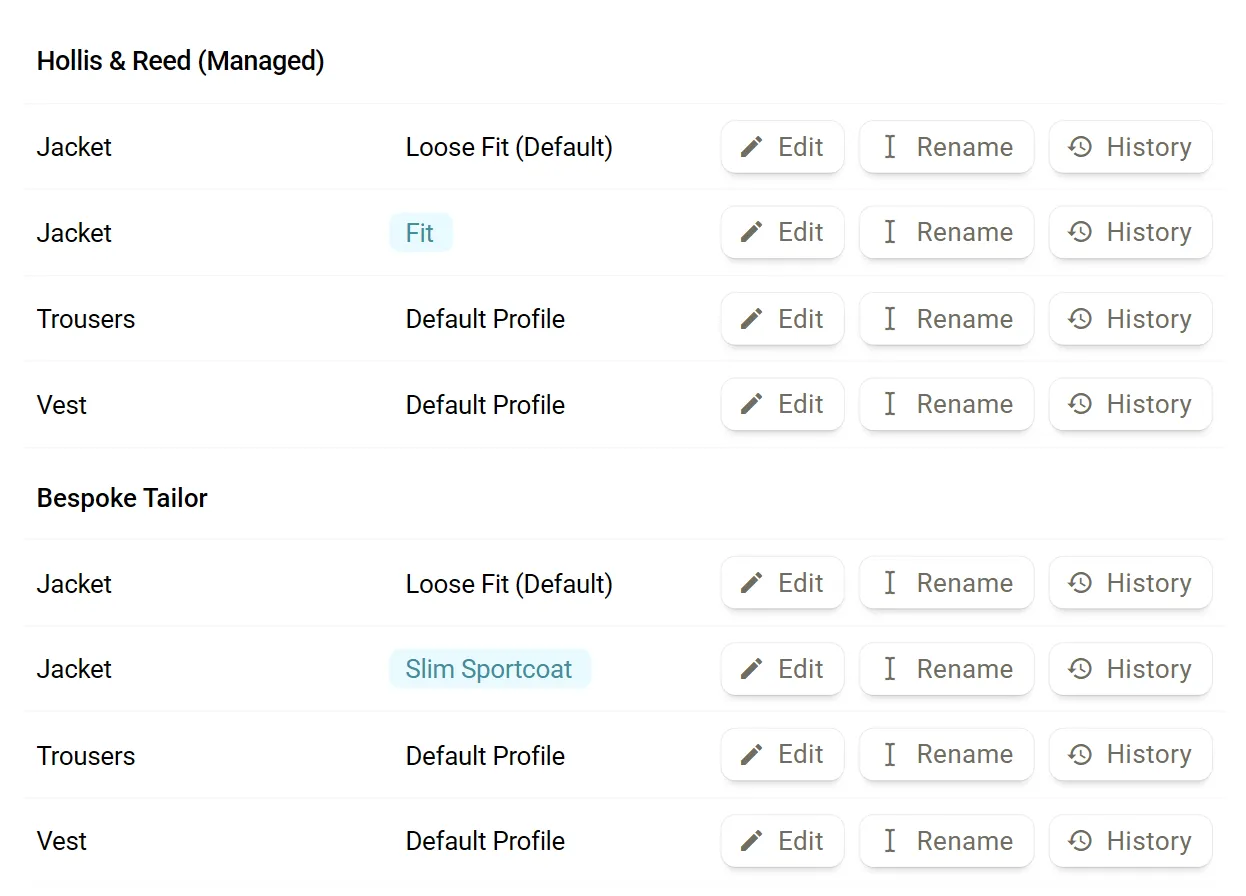
Fit profiles · a second profile beside the default
Boundaries

141½ is not a chest.

Set a minimum and a maximum for any measurement. A value outside them is flagged on the field as it is entered, so a stray key is caught before the order goes to your manufacturer.
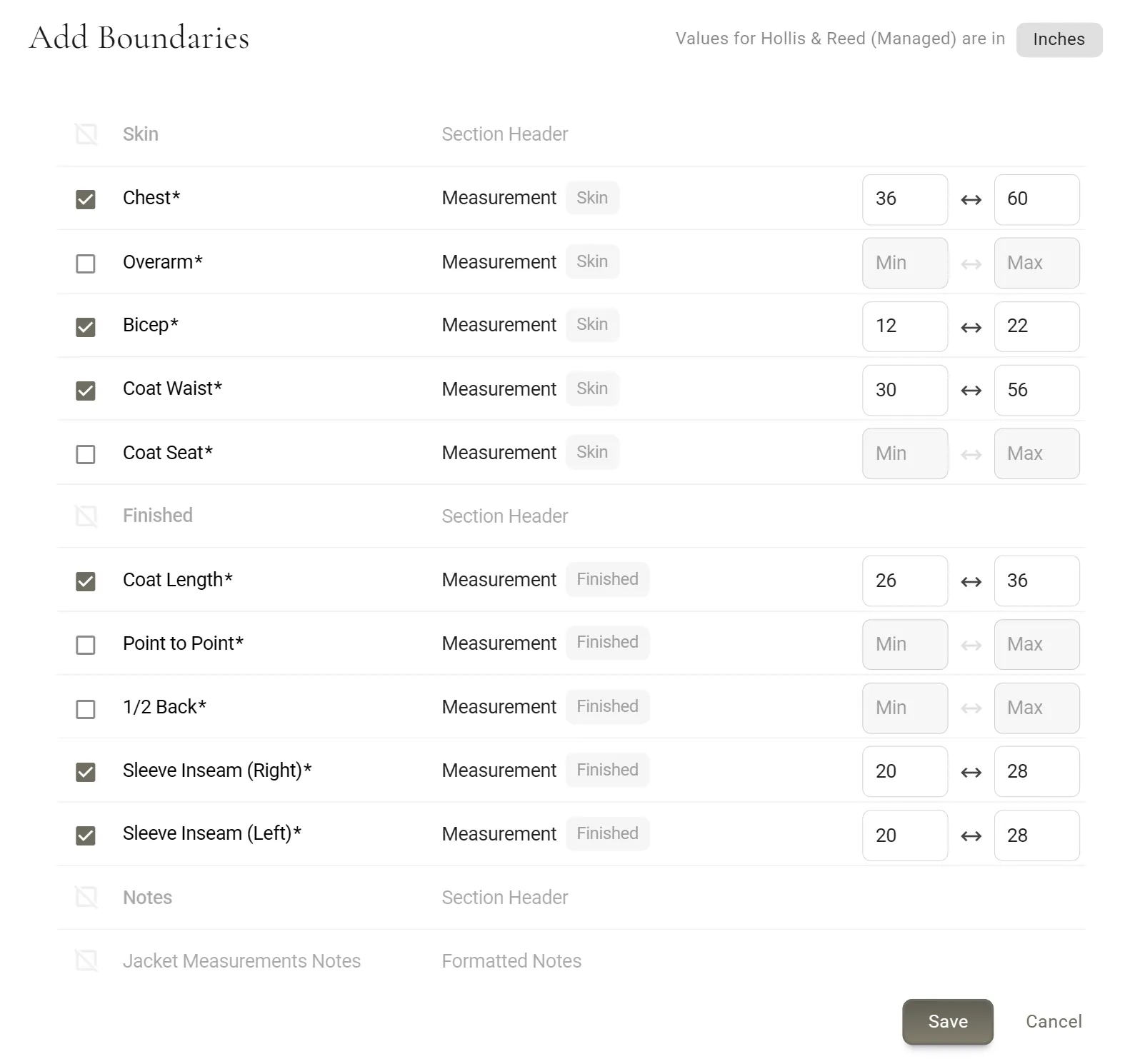
Boundaries · a minimum and a maximum, flagged as it is typed
Measurement history

Every change, who made it and when.

Each field keeps its earlier values. Hover the clock beside a field for its recent changes, or open the full history to see one fitting's edits together: posture, try-on size, and the chest that Connected Measurements updated.
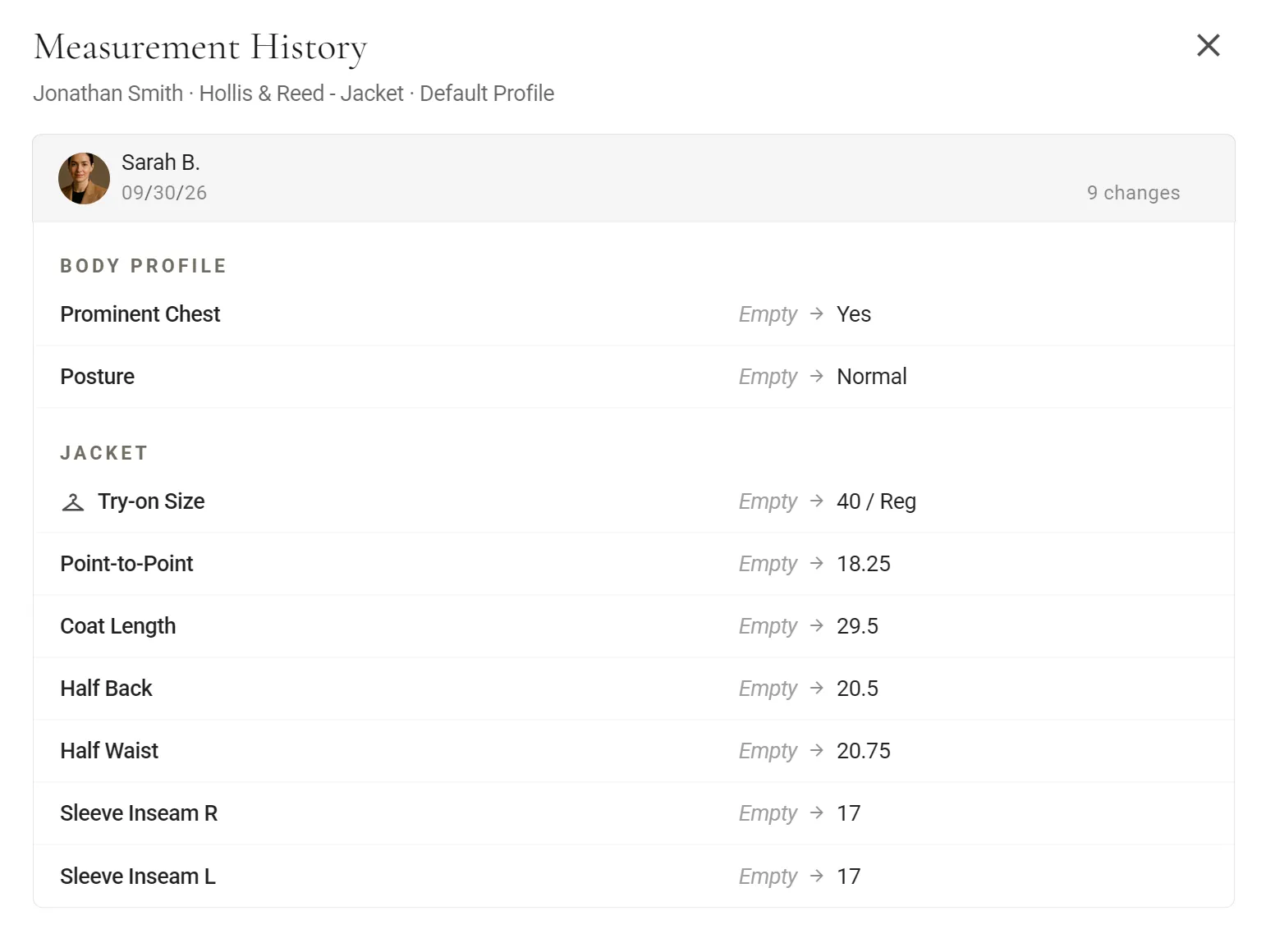
Measurement history · one fitting's changes in one entry
Hands-free with AriaNew

“Chest?” “Forty-one and a half.”

In voice mode, Aria asks for each measurement in turn and fills it in as you say it. Your hands stay on the tape and your attention on the customer.
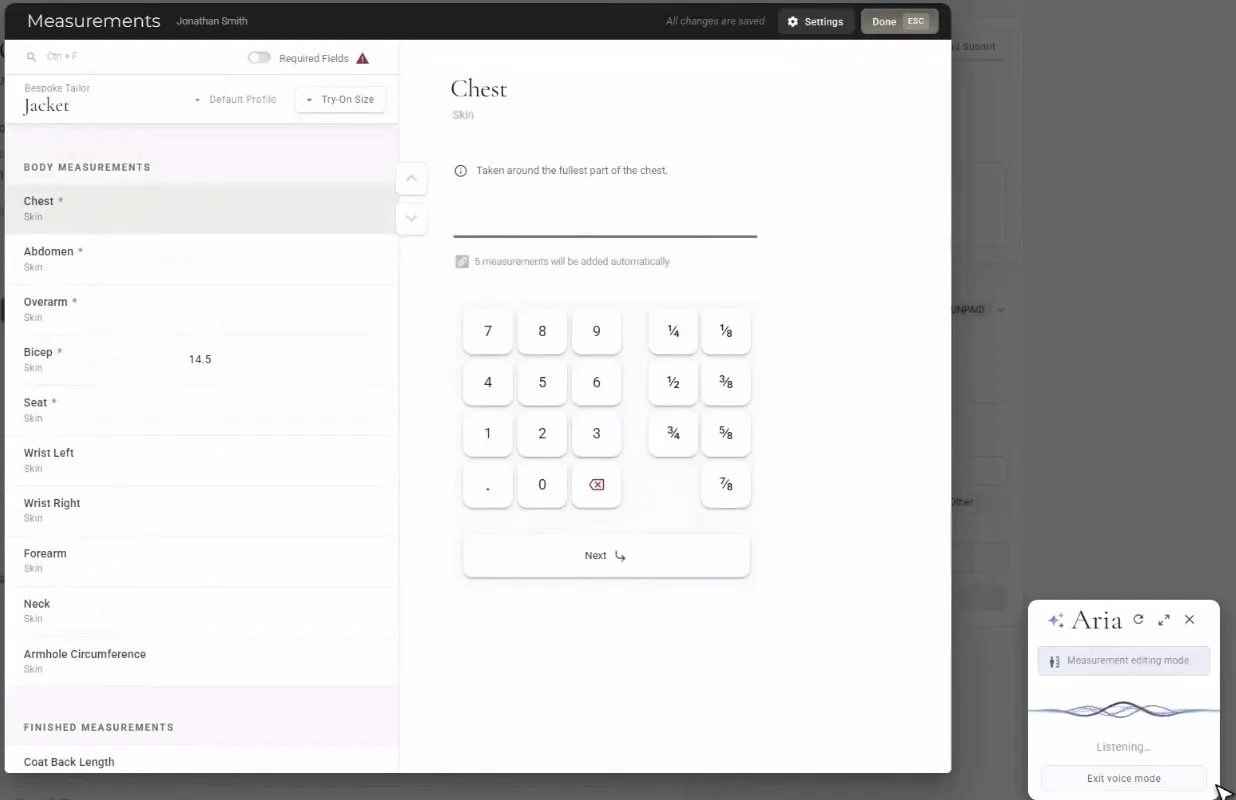
Aria voice mode · from the Aria video, measuring Jonathan Smith
NewTake measurements and build the order by voice, with Aria.
Also in Measurements

Everything else a fitting needs.

The right unit for each manufacturer, your own measuring order, photos from three sides, and one master set behind every form.

  • Measurement tabs and body profile

    New

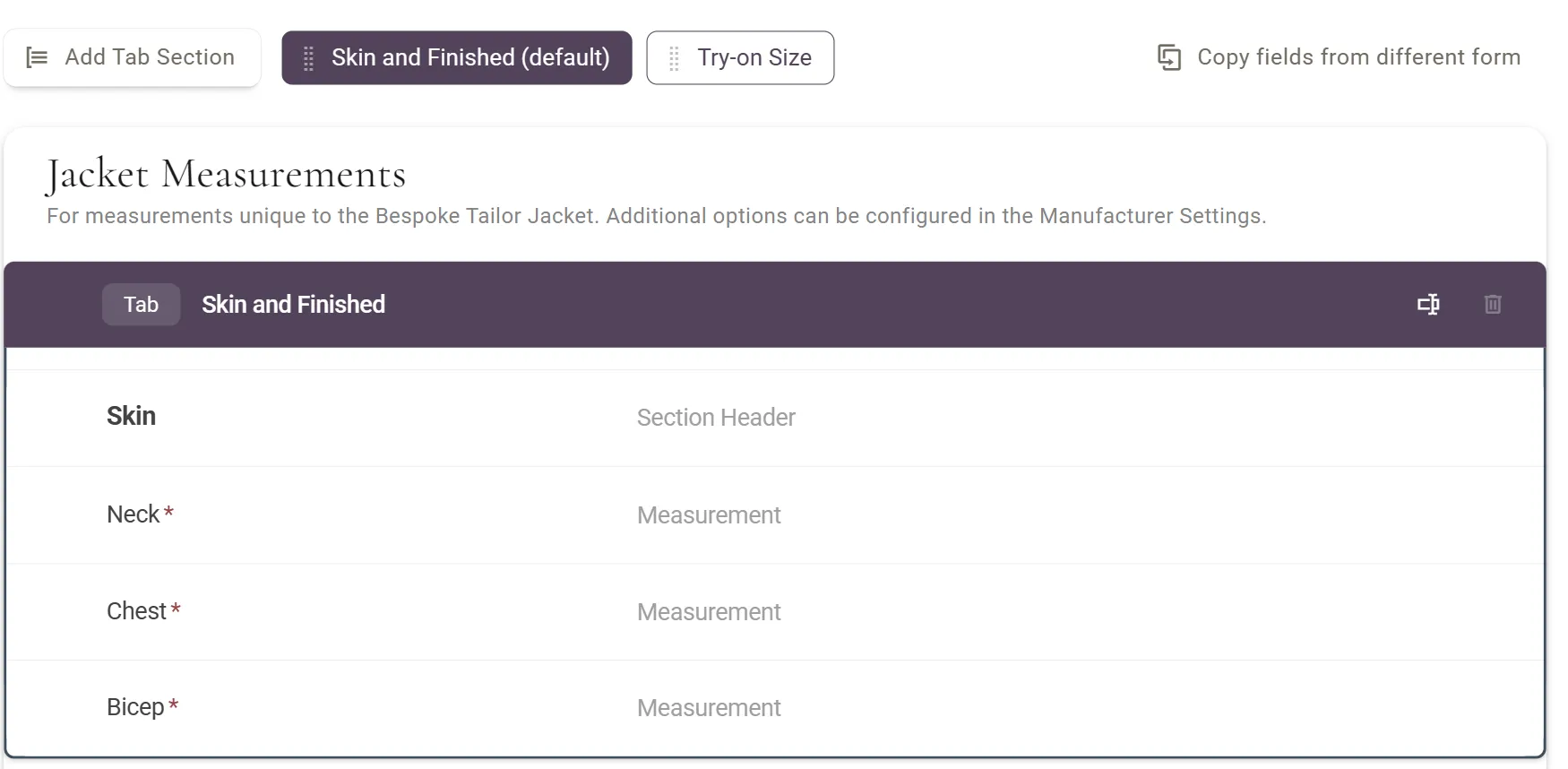
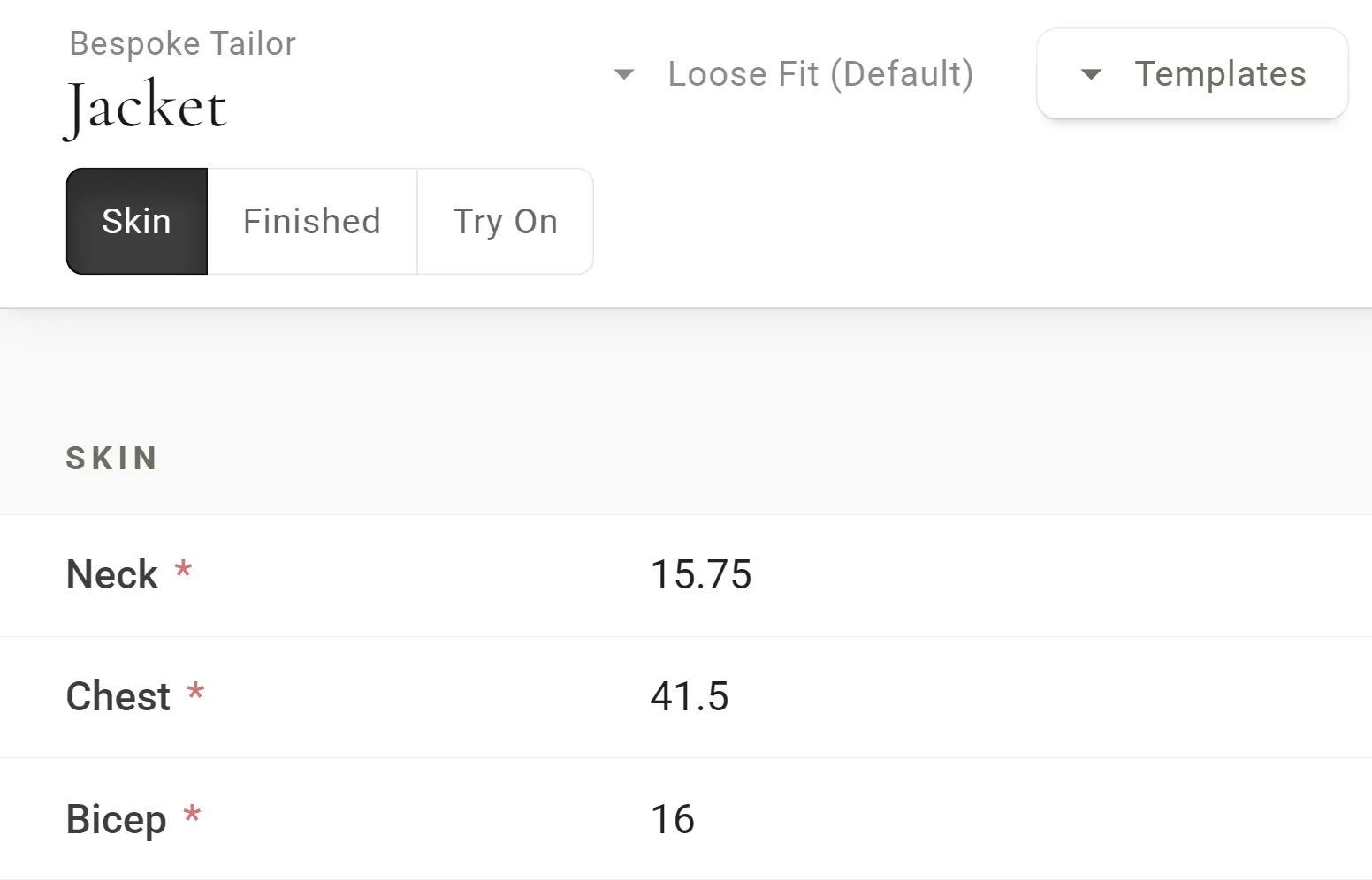
    Split a form into tabs such as Skin, Finished and Try-on Size. Posture and shoulder assessments in the body profile are shared by every garment from the same manufacturer.

  • Try-on sizes and allowances

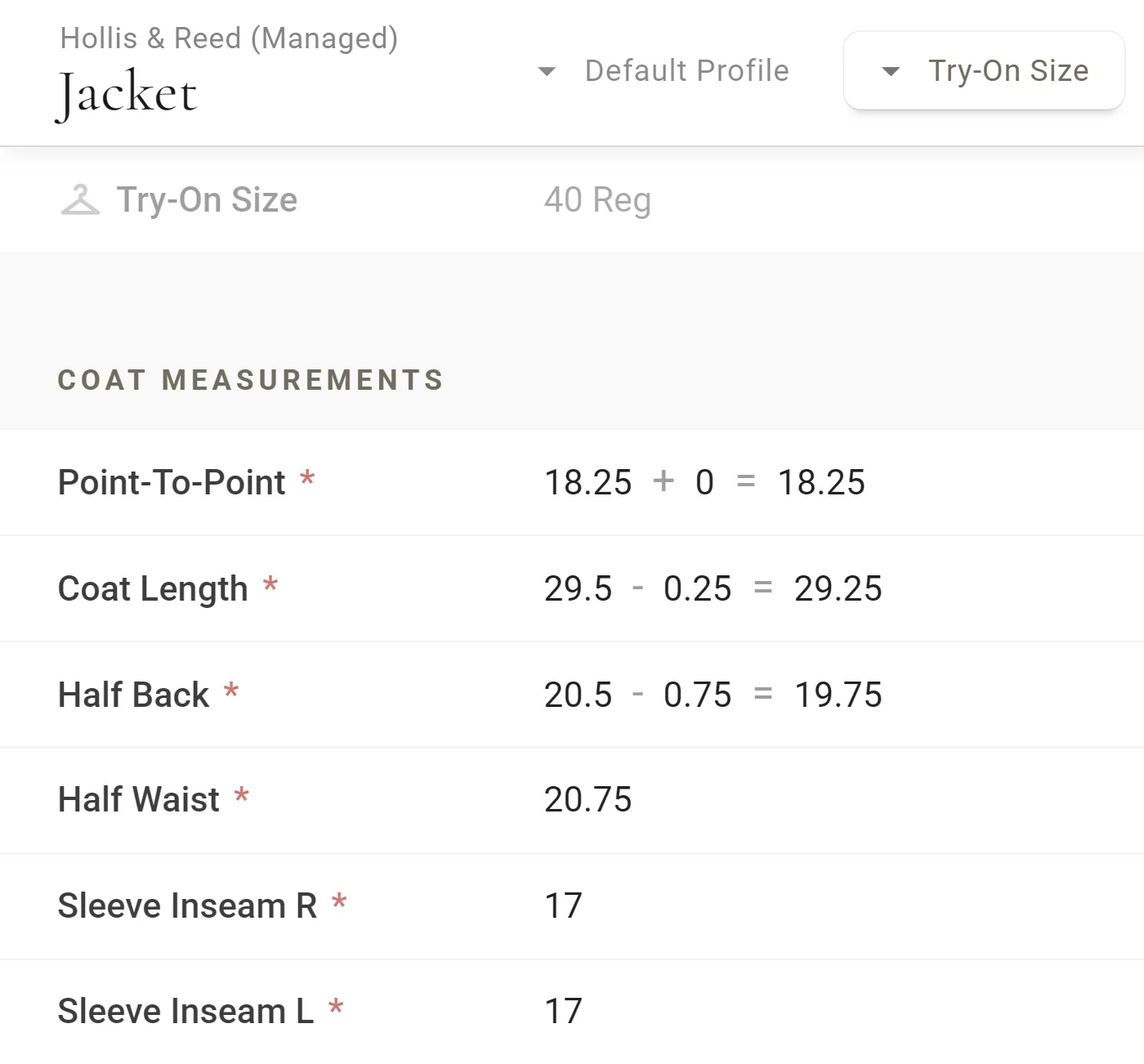
    Keep your try-on garments as sets and record the fitting as plus or minus adjustments. Skin + Allowance fields keep the body measurement and the ease side by side, and measurement templates load your usual allowances in one step.

  • Your measuring order

    Choose the garments to measure and drag them into the order you work in. MTMPRO remembers it for each person on your team.

  • Units per manufacturer

    Measure in inches, order in centimeters. Each manufacturer has an entry unit and an order unit, and MTMPRO converts on the way out.

    Chest
    41½ in
    Waist
    36¼ in
    Seat
    42 in
  • Profile photos

    Front, side and back photos from the tablet's camera. MTMPRO finds the face for the profile picture, and the photos print on the order PDF.

  • Master Measurements

    On the Premier and Scale plans

    A measurement form of your own that belongs to no manufacturer. It lives on the customer and is copied to their garments on every manufacturer's form.

Questions

Measurements, answered.

Do reorders use the latest measurements?
Yes. A reorder starts from the customer’s latest measurements, including any changes made after a fitting. Past orders keep their measurements exactly as they were when they were submitted.
Are measurements kept separately for each manufacturer?
Yes. Each manufacturer’s form has its own fields, because each one cuts differently. Connected Measurements copies the values that mean the same thing, so you still enter them once.
Can I measure in inches and order in centimeters?
Yes. Each manufacturer has an entry unit and an order unit, and MTMPRO converts the measurements when the order goes out.
What happens to the measurements after an alteration?
Update them after the alteration and the customer’s next garment starts from the new numbers. Alteration tickets are kept apart from measurements on purpose: a note like “pad left shoulder” can touch several numbers.
Can I import measurements from another system?
Not today. Customer import brings in contact details from Excel or CSV files, and measurements are entered in MTMPRO.
Which plans include these tools?
Connected Measurements, fit profiles, boundaries, try-on sizes, measurement tabs and measurement history are on every plan. Master Measurements is on Premier and Scale.
Begin

Don't waste another minute.

Time is the most valuable resource you have. Imagine what you could do with more of it.

Start freeFree to sign up · No credit card required