Start free
Platform · Fabric

Fabric ordered, batched and on its way to your manufacturer.

Each cut you order joins the open purchase order for its supplier and manufacturer, goes out with one press or on your schedule, and comes back confirmed from the supplier's email.

Free to sign up · No credit card required
  • $50 a month add-on on Business
  • Included in Premier and Scale
  • Not on the Free plan
How it works

The cloth follows the order.

Your team picks the cloth on the order. MTMPRO works out the rest: which purchase order it joins, how much to order, where it ships and when it goes.

Automatic purchase ordersAn add-on on Business, included in Premier and Scale

Every cut joins the right purchase order.

Tick Add Fabric PO as you check and submit an order, and each cloth becomes a pending line on the open purchase order for its supplier and the manufacturer it ships to, batched with the rest of your cuts.

Press Send when you are ready, or let your schedule send it on the days and at the hour you choose. Add a note for the mill, or hold a line back.
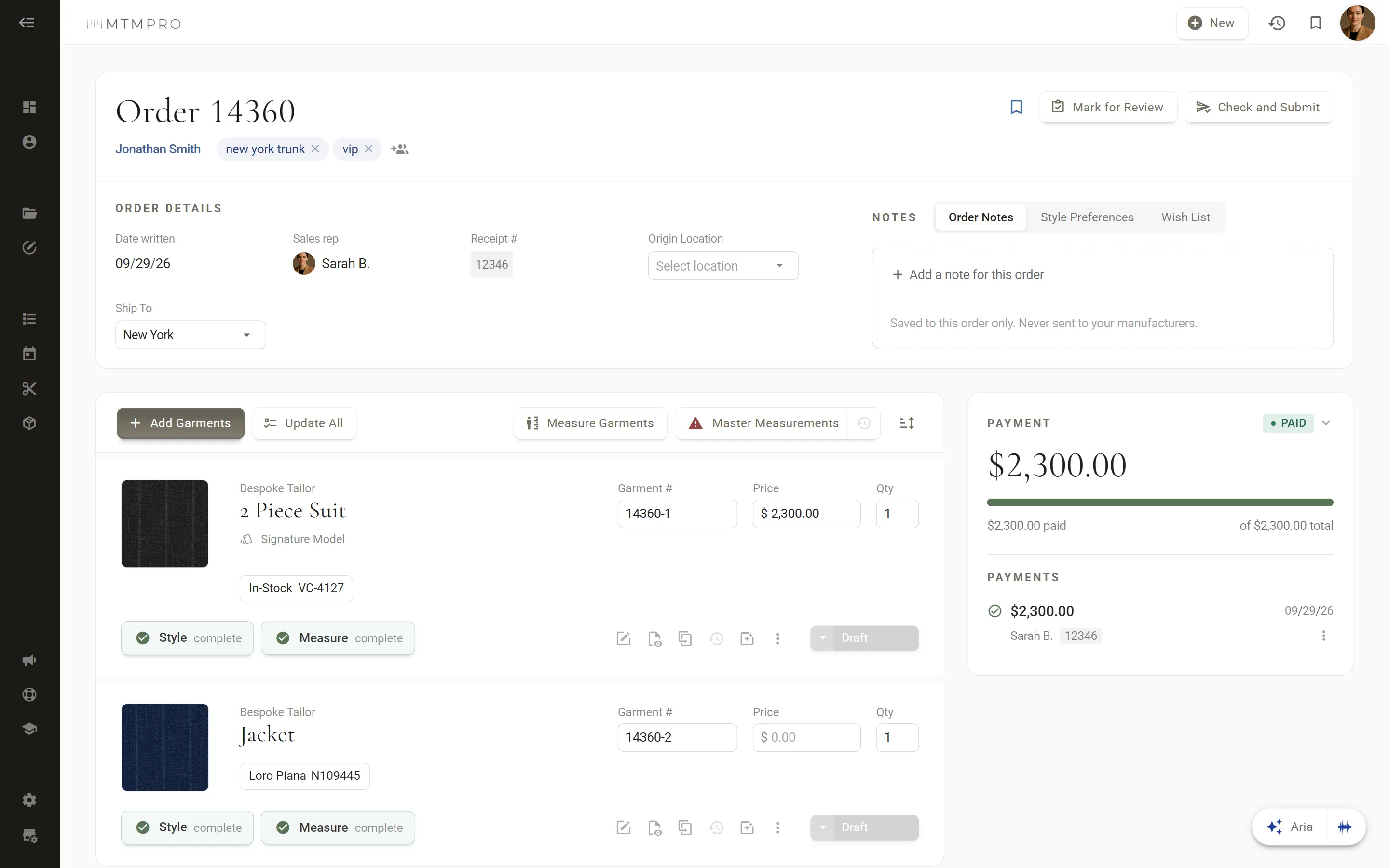
Order 14360 · at Check and Submit, its jacket's cloth joins a purchase order
Supplier confirmation

Confirmed by the mill, from its inbox.

Each purchase order reaches the supplier by email with a link to confirm it. One click, and its lines turn Confirmed on your Fabric Orders screen.

For a mill that confirms by phone or through its own portal, mark the line confirmed yourself.
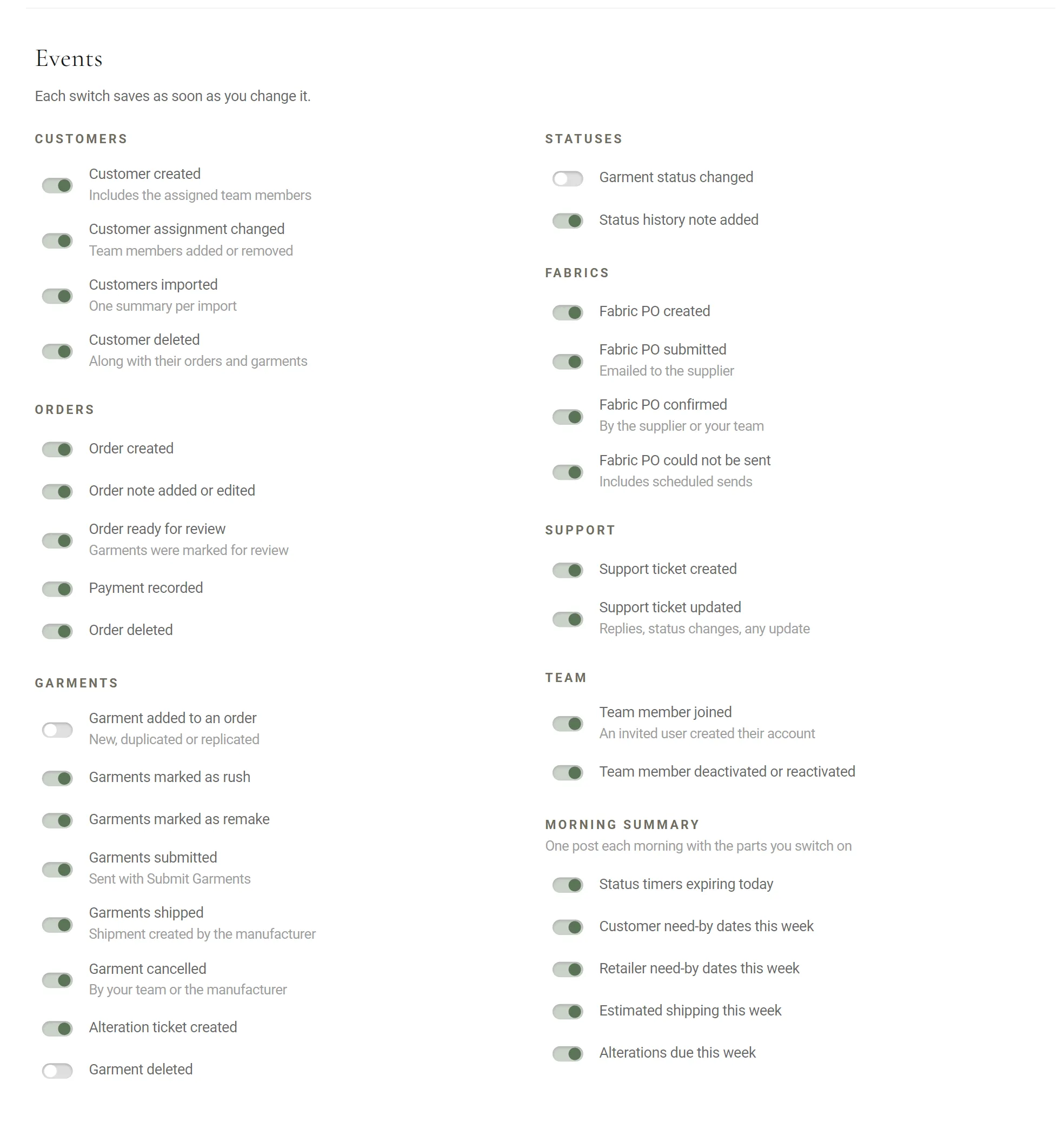
Slack · Fabric PO confirmed, by the supplier or your team
Fabric lengths

The right length, set once.

Give each manufacturer a default length per garment type: trousers at 1.5 yards, a vest at 1. Every new line starts there.

An open plaid that needs more? Change the quantity while the line is still pending.
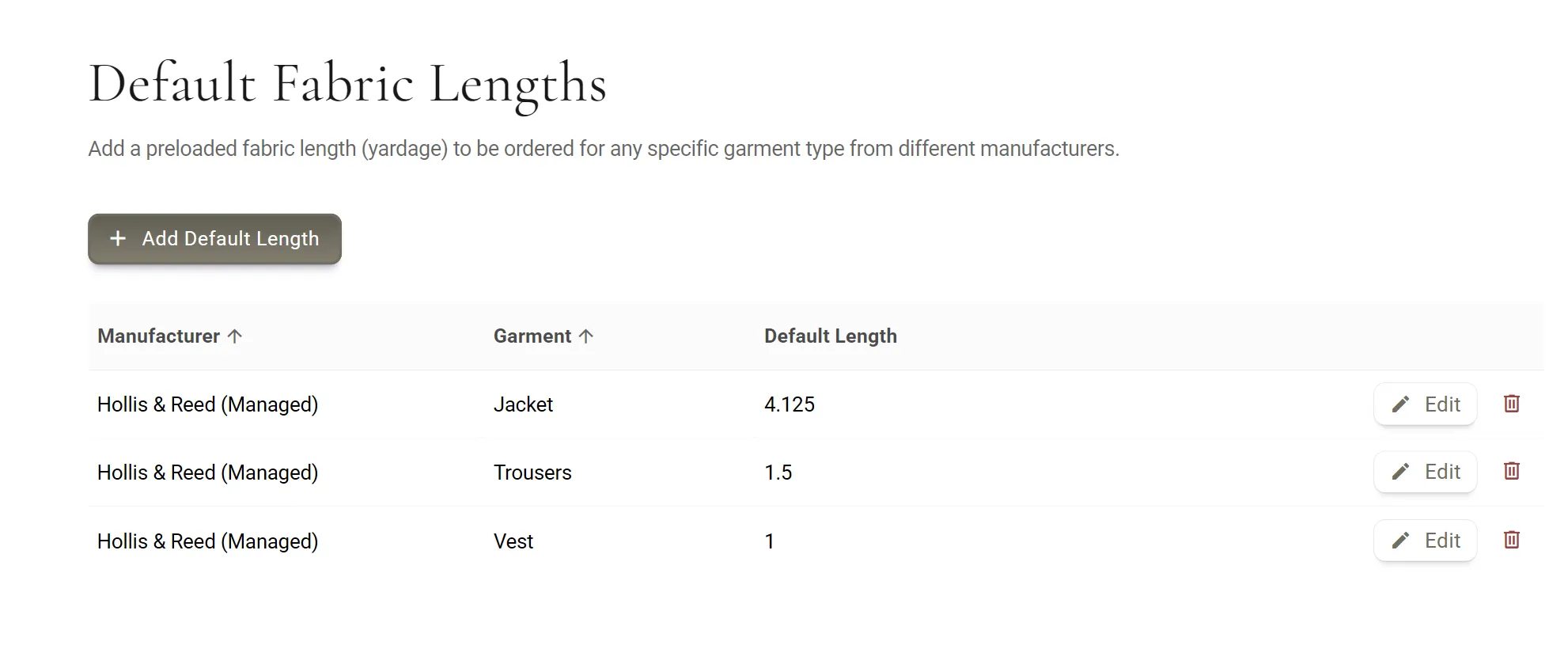
Default Fabric Lengths · per manufacturer and garment
Shipment routing

By way of a hub, then on to your manufacturer.

Some cloth travels through a forwarding hub, such as one in Hong Kong that sends it on to a manufacturer in mainland China. Add a special shipping address for that supplier and manufacturer, and their purchase orders carry it in place of the manufacturer's own.

Purchase Orders · a special shipping address
One-off cuts

A cut of its own, when you need one.

Order cloth by hand: a replacement for a cut the mill has run out of, or a length for a part or a special piece. Pick the customer, the garment, the supplier, the fabric number and the length.

Then batch it into the open purchase order, or give it one of its own when it cannot wait.
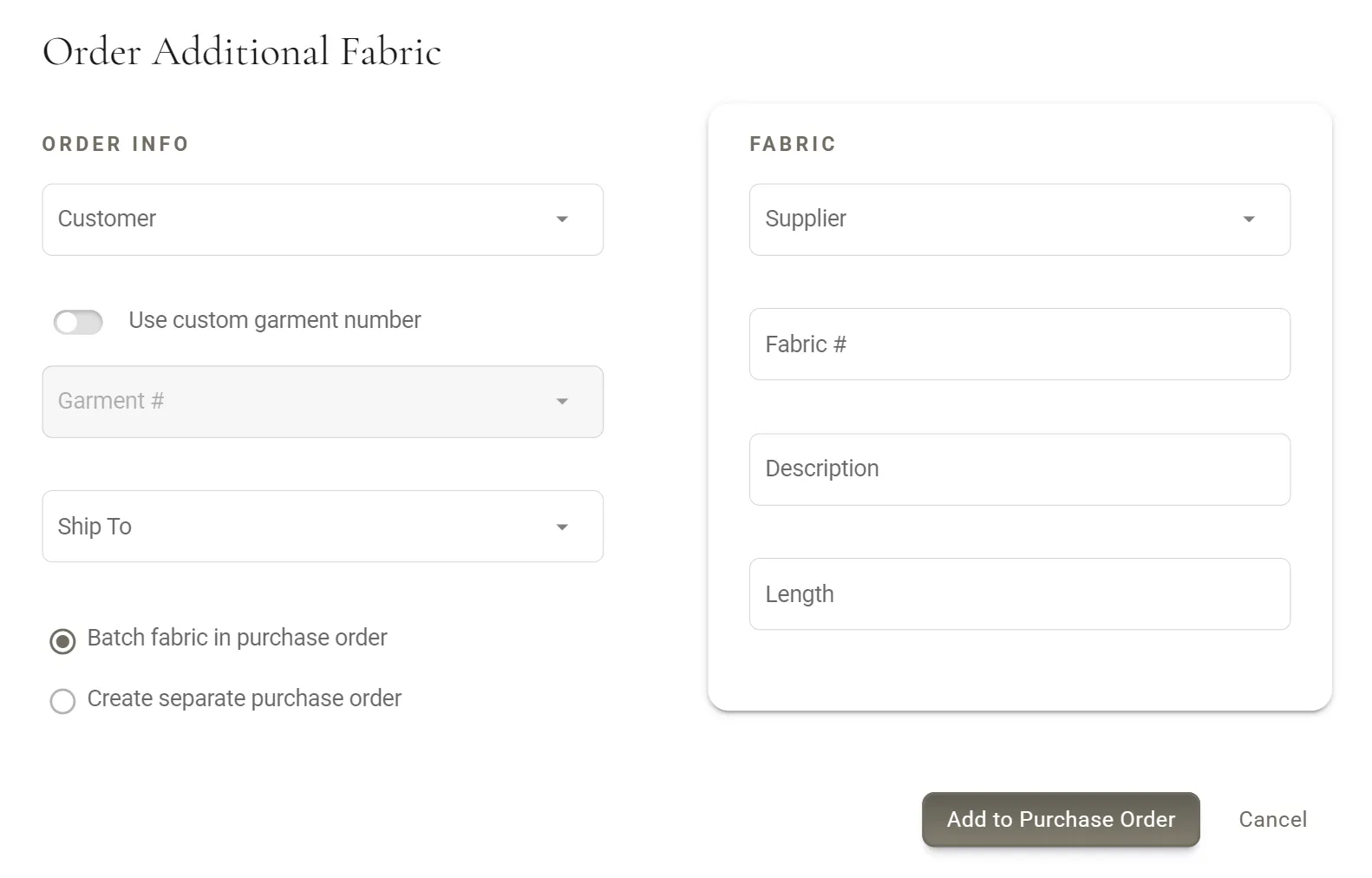
Order Additional Fabric · batched, or a PO of its own
Unit conversion

Yards in, meters out.

Your shop works in yards and Loro Piana sells by the meter? Set each supplier's units once, the one you enter lengths in and the one it orders in, and MTMPRO converts every length on its purchase orders and on the order your manufacturer receives.

Loro Piana
Units and Conversion
Enter fabric length asYards
Order fabric length asMeters
  • Jonathan Smith · Jacket2 yd
  • Marcus Hale · 2 Piece Suit4 yd
  • Edward Blake · Vest1 yd
Units and conversion · press Yards or Meters
Show your customer the garment in this cloth before it is cut.
Also in Fabric Ordering

Around every purchase order.

Every cut in one list, each mill's own inbox, fabric photos on the order PDF, and the answer to where a customer's cloth has got to.

  • Ask Aria where the cloth is

    New

    Ask whether James Carter's fabric has gone out, and Aria checks the purchase orders on his garments: pending, on hold, submitted or confirmed.

  • Top Fabric Suppliers

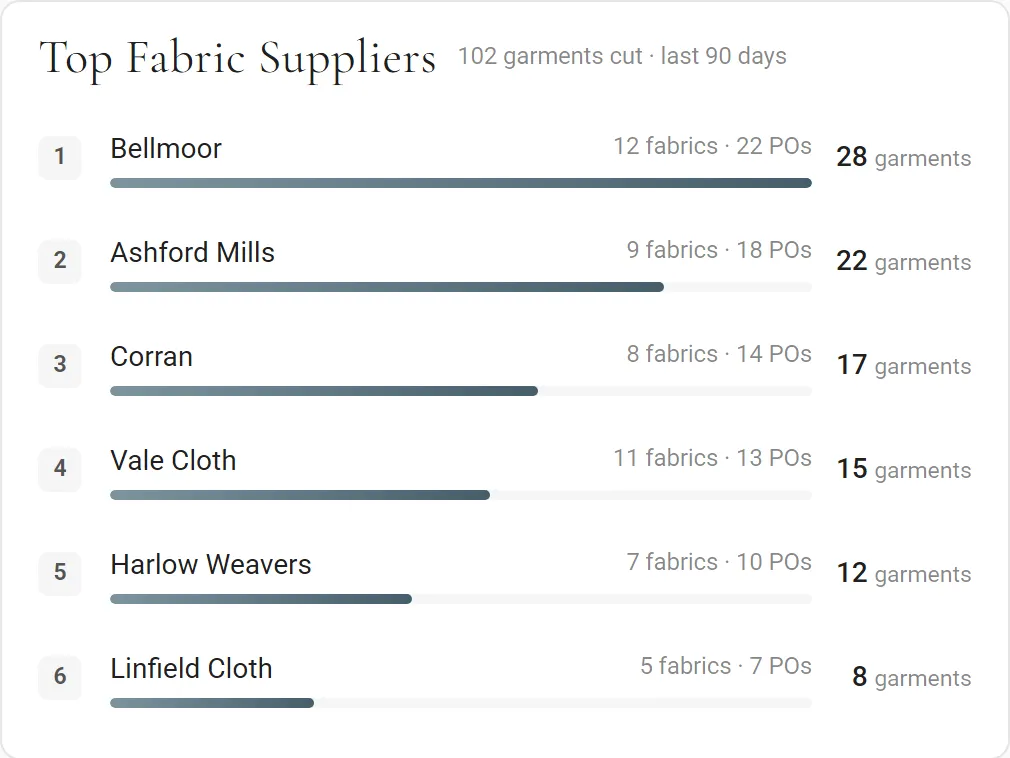
    On the dashboard, the mills that cut the most for you over the last 90 days, with the fabrics and purchase orders behind each. For owners and admins.

  • Fabric news in Slack

    On the Premier and Scale plans

    Your channel hears when a purchase order is created, emailed to the supplier, confirmed, or could not be sent, scheduled sends included.

  • The cloth on the order

    Send an order to your manufacturer as a PDF and it carries photos of the fabric, the style and the customer, so the right cloth meets the right garment.

  • Every cut in one list

    The Fabrics list shows each cut with its customer, garment number, supplier, fabric number, length, manufacturer, PO and status. Search it, open the order or preview its PDF.

  • The right inbox for every mill

    Each supplier's purchase orders go to its own address, with as many people copied as you need, and every PO carries your manufacturer's shipping address.

Questions

Fabric Ordering, answered.

Which plans include fabric purchase orders?

Premier and Scale include them. On Business they are an add-on at $50 a month. They are not on the Free plan. See pricing for the rest of each plan.

Do my suppliers need an MTMPRO account?

No. Each purchase order goes by email to the addresses you set for that supplier, and the supplier confirms it from a link in the email. When a mill confirms another way, by phone or through its own portal, your team can mark the line confirmed.

Does MTMPRO track the cloth on its way to my manufacturer?

No. MTMPRO records when each purchase order was sent and when the supplier confirmed it, but not the parcel itself. For garments, the Shipments page lists what portal manufacturers ship, with the carrier and tracking number.

Can I change a length or hold a cut before the PO goes out?

Yes. While a line is pending you can change its quantity or put it on hold, and you can add a note to the purchase order for the supplier. A held line stays behind when the PO is sent, and a PO that has been sent cannot be sent again.

What if a mill is out of a cloth?

Order the replacement as a one-off cut: choose the customer and garment, the supplier, the fabric number and the length, then batch it into the open purchase order or give it one of its own.

Can I enter yards and order in meters?

Yes. Each supplier has a unit you enter lengths in and a unit it orders in, yards or meters. MTMPRO converts the length and shows the converted unit on the purchase order and on the garment order.

Begin

Don't waste another minute.

Time is the most valuable resource you have. Imagine what you could do with more of it.

Start freeFree to sign up · No credit card required