Start free
Meet Aria

Your AI coworker, by text or by voice.

Ask about your customers, orders and fabric, and the answer comes from your own store. Ask for the change and Aria makes it. Or put the screen aside and talk: it asks for each measurement and fills it in as you say it.

Free to sign up · No credit card required
  • On every plan
  • Within your permissions
  • Typed or spoken
What Aria does

Everything in your store, one request away.

Aria sits in the corner of every screen in MTMPRO. It works on your own records, as the person signed in, typed or spoken.

Ask

Ask the way you would ask a colleague.

Customers, orders, garments, need-by dates, fabric purchase orders, alterations, sales: ask in plain words and Aria looks it up in your own store. What's due this week? comes back soonest first, each garment a card that opens it.

Follow-ups carry on from there. After an order, is it paid? means that order.
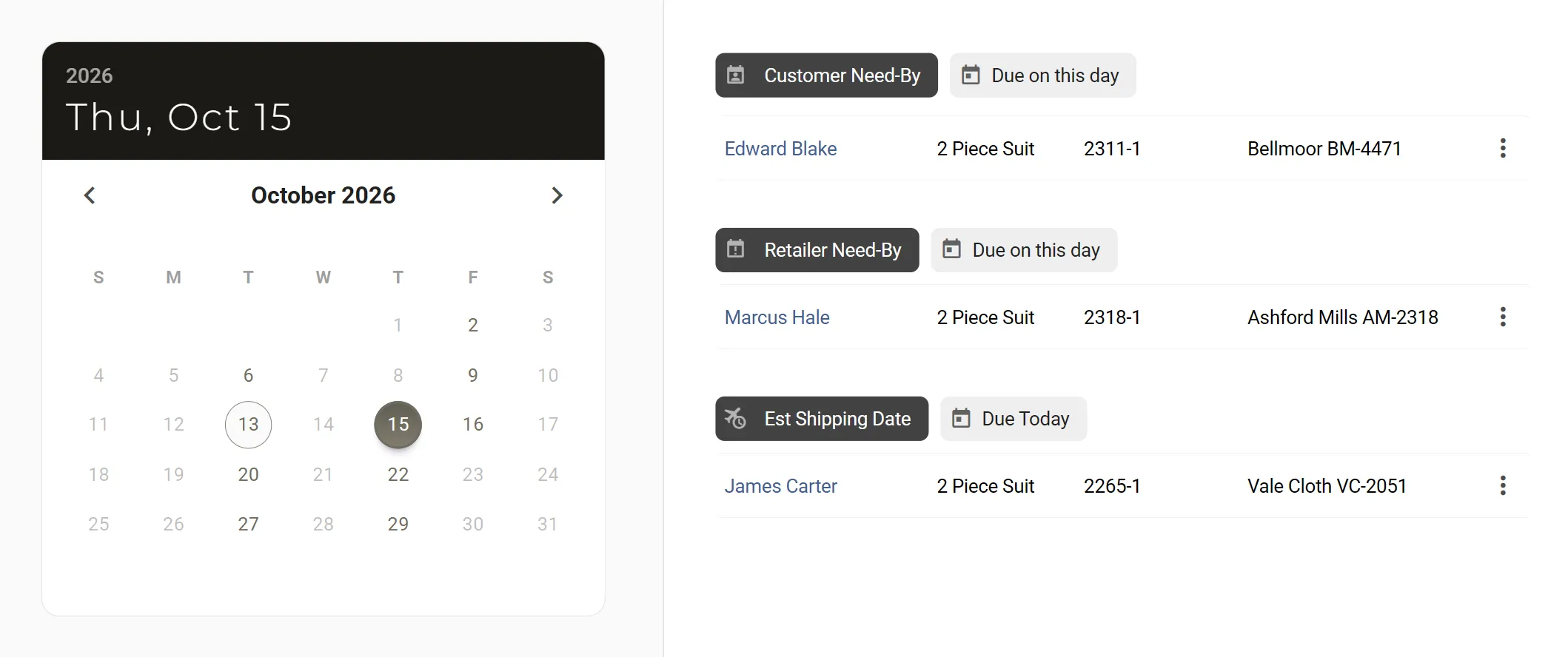
Aria · this week's dates, as the calendar holds them
Do

Ask for the change, and it is made.

Start an order with the garments, manufacturer and style templates you name. Reorder a past garment. Change the fabric, quantity, price, status or need-by dates, apply try-on sizes, add a customer, take notes.

Aria does it the way the screen would, tells you what it did and opens the page, so you can see the result.
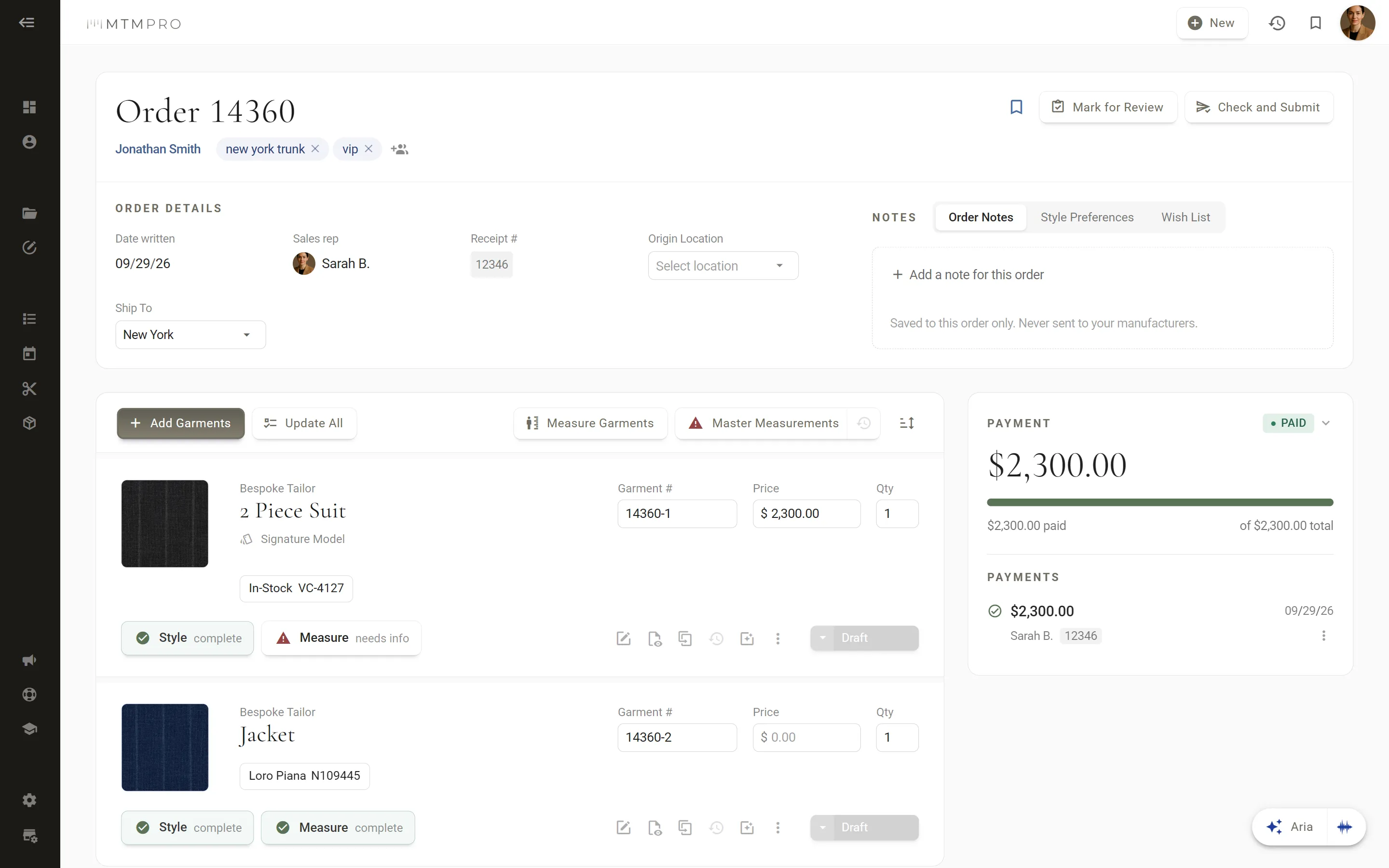
Order 14360 · started by Aria, then opened
Voice modeNew

Talk instead of typing.

Press the wave and speak. Aria sends what you said when you pause, answers out loud in a sentence or two, then listens again. Start talking while it answers and it stops to listen.

Numbers come back the way you would check them: fabric 1654654 is read as one six five, four six five, four.
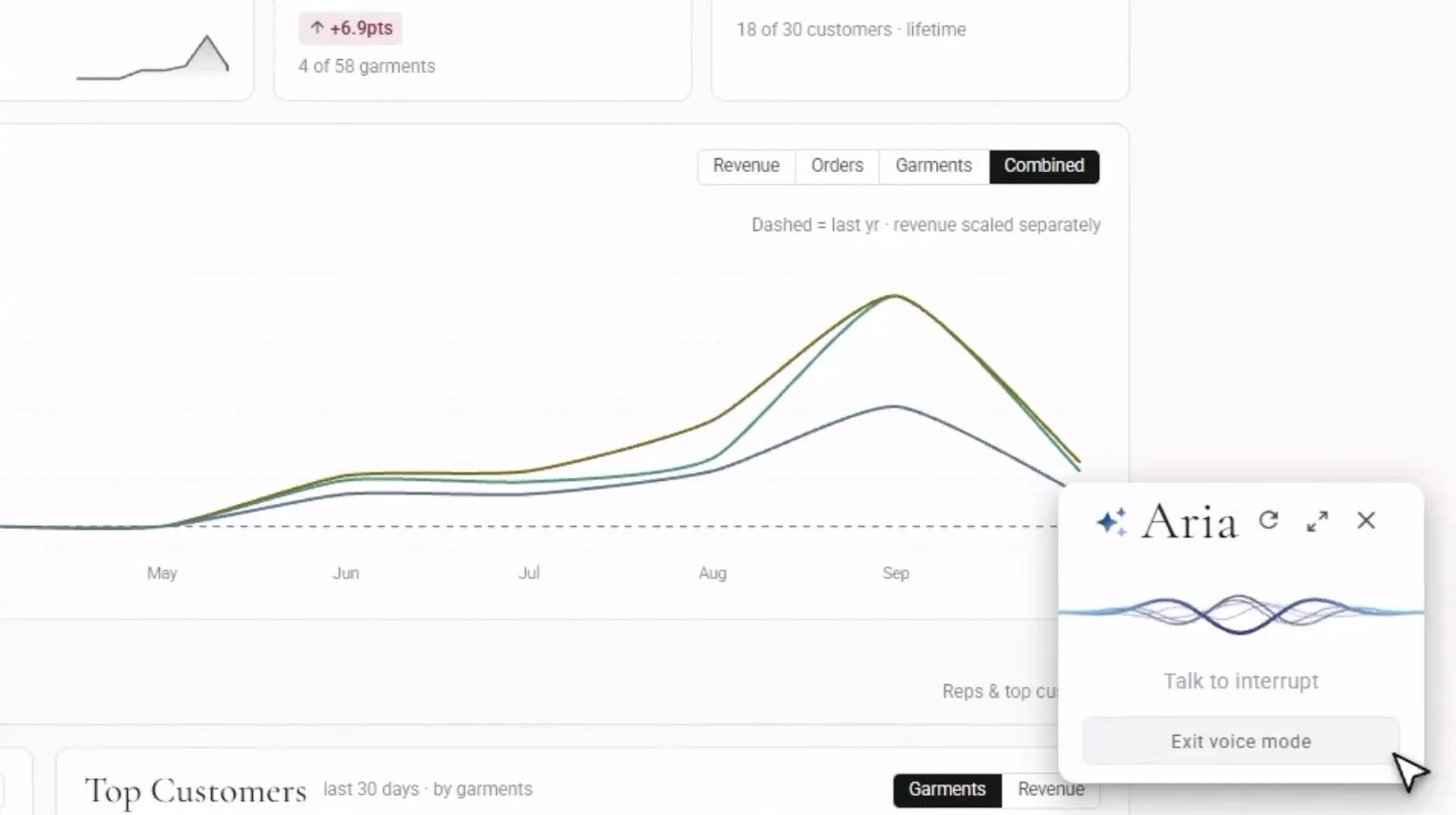
Voice mode · Aria answering out loud, from the Aria video
Hands-free measuringNew

“Chest?” “Forty-one and a half.”

Open a garment’s measurements and say begin. Aria asks for each field by name and fills it in as you say it: a measurement in halves, quarters and eighths, in figures or in words, or a choice such as sloping for the shoulder. A soft ding says it went in, and three seconds later Aria moves on. Your hands stay on the tape.
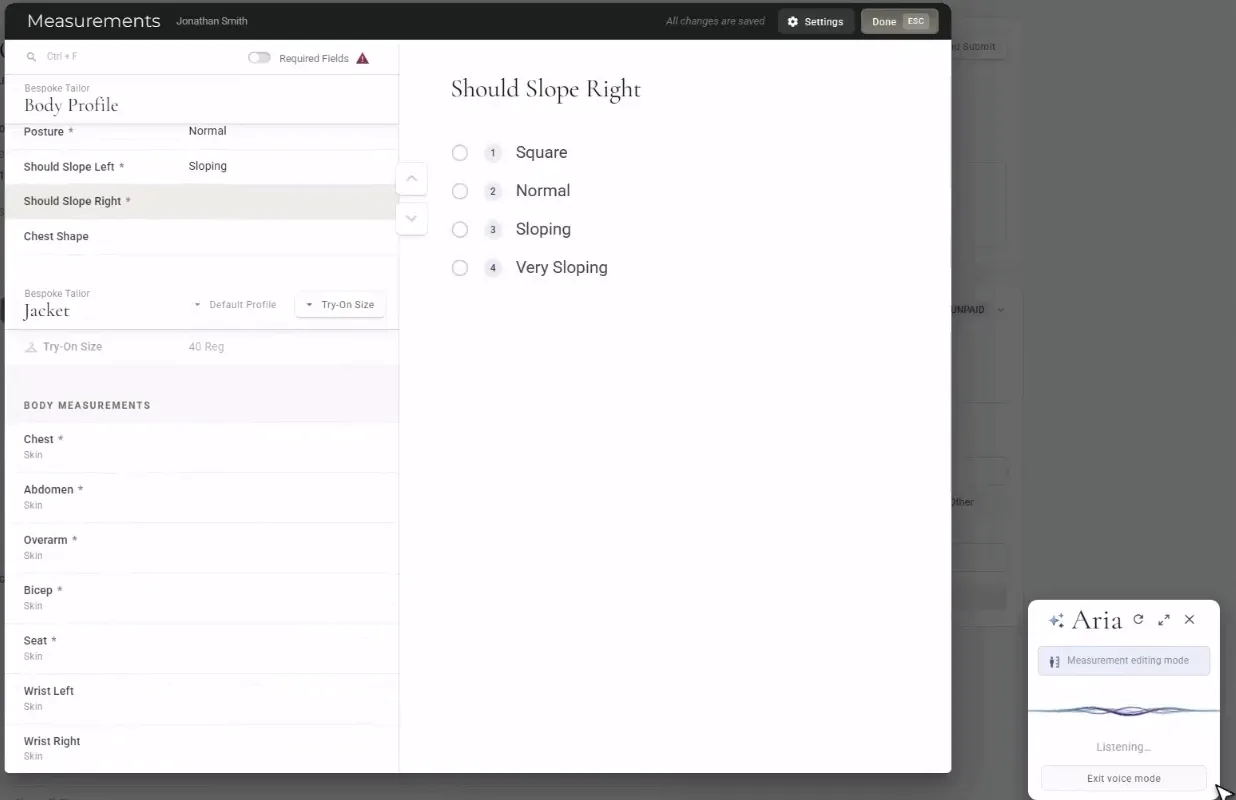
Hands-free measuring · Jonathan Smith's body profile, from the Aria video
Permissions

It sees only what you can see.

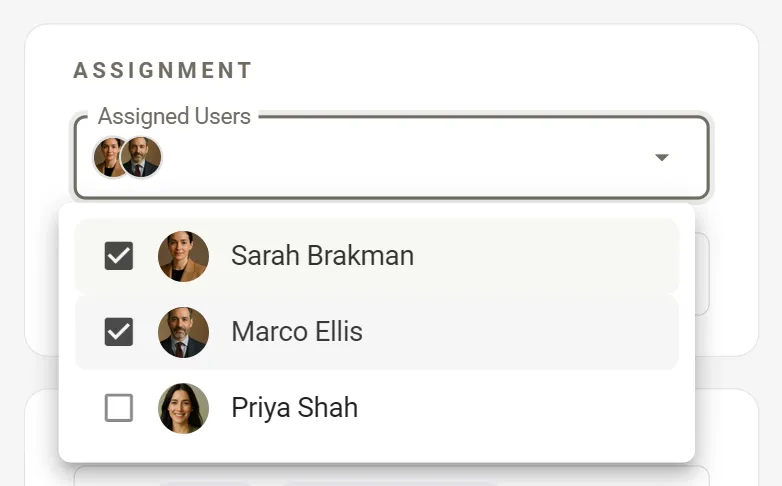
Aria works as the person signed in, with the permissions they have everywhere else in MTMPRO. An associate restricted to assigned customers gets answers about those customers and no one else, and sees sales only for the orders they wrote.

Owners can switch Aria off for any associate in Users & Permissions.
Credits

On every plan, by the month.

Every plan comes with Aria credits each month: 250 on Free, 1,500 on Business, 4,000 on Premier and 10,000 on Scale. A question uses at least one, and a spoken answer uses more for what is read aloud.

When the month’s credits run out, the store owner can buy a pack, from $20.

See pricing →
Show your customer the garment before the cloth is cut, with AI Style Renders.
Aria voice control

Watch Aria build an order by voice.

Order 14360 for Jonathan Smith, said out loud: the garments from Bespoke Tailor, the cloth, the templates and the price, then the measurements. Narrated, with captions.

Also in Aria

What it will and will not do.

Aria does what you ask, says what it did, and leaves the last word on every order to you.

  • It never submits an order

    Aria starts orders and changes garments, but Check and Submit stays with you, so nothing goes to a manufacturer until a person has looked at it. Store settings, order forms, your status list and your account are not Aria’s to change.

  • Answers you can open

    The orders, garments and customers Aria finds come back as cards under its answer, and order numbers are links. One click opens the record.

  • It asks when it has to

    When more than one manufacturer makes the garment, Aria asks which, with the choices listed. Click one, press its number, or say it: the second one.

  • Notes, said out loud

    Say add an order note or take notes on the wish list, and what you say goes in, sentence by sentence, until you say done. Order Notes, Style Preferences and the Wish List.

  • Your names, even misheard

    Speech mishears names, so Aria matches what it heard against your own manufacturers, suppliers, templates and customers: door may is Dormeuil. It always says what it did.

  • How-to, from the guides

    Ask how to do something in MTMPRO and Aria answers from the guides, with a link to the article it used.

Questions

About Aria

Every command, and who sees what, is in the guides: Aria, your AI assistant and Voice commands for orders.

What can Aria see?
Only your own store, and only what the person asking could open themselves. Aria works as whoever is signed in, with their permissions: an associate restricted to assigned customers gets answers about those customers only, and associates see sales only for the orders they wrote. Owners and admins see the whole store.
Does Aria send orders to my manufacturers?
No. Aria can start an order, add garments, apply templates and change the fabric, but it never submits one. Check and Submit stays with you, so nothing leaves the shop until someone has looked at it.
Does Aria ask before it makes a change?
No, so say exactly what you want. It makes the change straight away, the way the order page would, then says what it did and opens the page. When it needs a choice from you, such as which manufacturer, it asks.
Which plans include Aria, and how do credits work?
Every plan, Free included. Each month brings 250 credits on Free, 1,500 on Business, 4,000 on Premier and 10,000 on Scale. A question uses at least one credit, and a spoken answer uses more for what is read aloud. If the month’s credits run out, Aria pauses until the next month, or until the store owner buys a pack, from $20. See pricing.
Can I turn Aria off for someone on my team?
Yes. In Users & Permissions, click Manage next to the associate and tick Disable Aria. The Aria button is gone for them from the next time they open MTMPRO. Owners and admins always have Aria.
Which browsers does voice mode work in?
Chrome, Edge and Safari. Firefox cannot listen, so the voice buttons do not show there. The first time, your browser asks to use the microphone. Voice mode turns itself off after five minutes with nothing said. Voice commands for orders.
Begin

Don't waste another minute.

Time is the most valuable resource you have. Imagine what you could do with more of it.

Start freeFree to sign up · No credit card required