Powerful order forms built for your business.
Customize your own MTM, MTO, and bespoke order forms for any manufacturer, including private manufacturing partners—with no coding or development. Popular makers automatically load options to get started with. Here’s how it works...
- Completely free to get started
- No time limit
- No coding or development
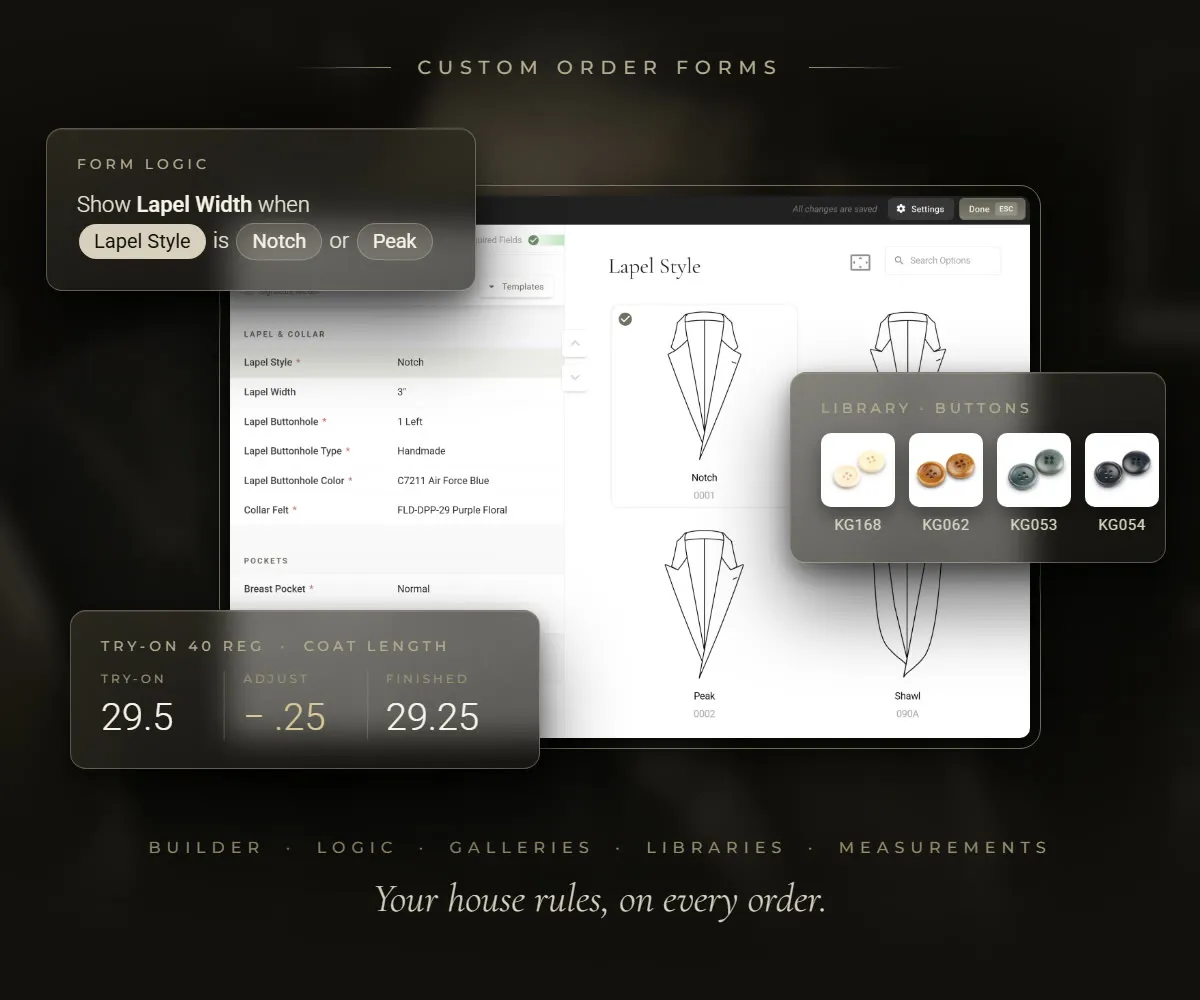
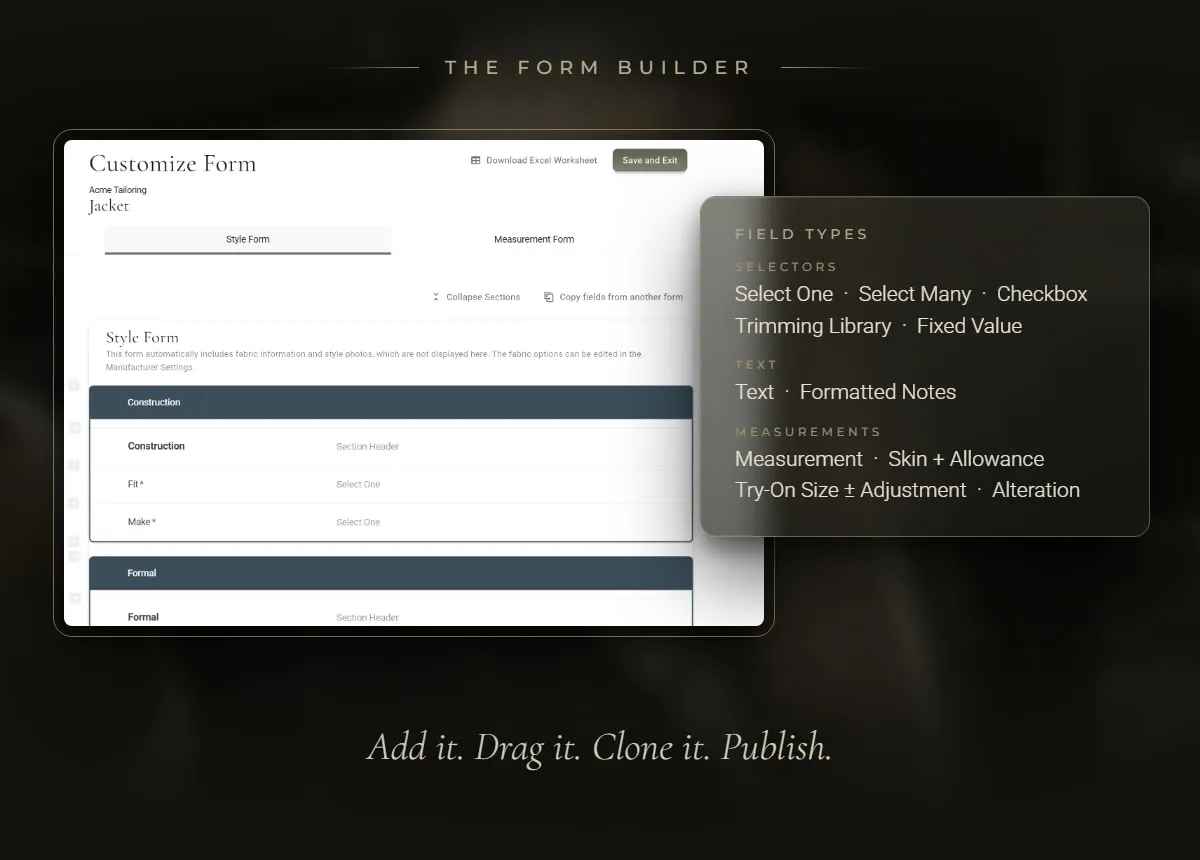
Build a form your way.
Set up unique order forms for each manufacturer. Your team enters data in your order, and the finished order follows your layout.
- Curated Data Capture
- Highly-specialized field types are designed to meet the unique needs of MTM and Bespoke data management.
- Draft Mode
- Add or update fields as drafts until you publish them for your team to use.
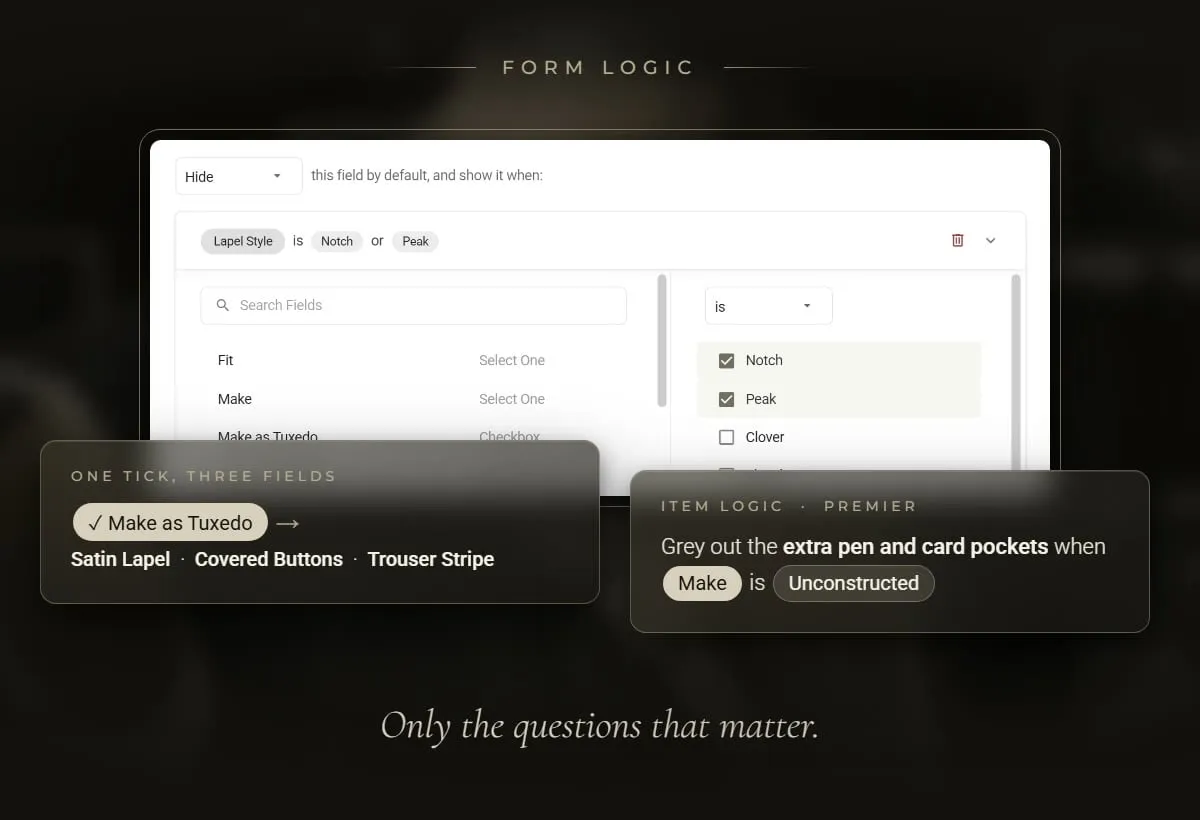
Show the fields that matter.
Multi-layer logic displays a field only when you need it. Check “Make as Tuxedo” and the satin options, covered buttons and trouser stripe fields automatically appear. Set it up any way you want.
- Code Conflicts and Disabled Options
- Grey out individual options when other options are selected, complete with explanations as to why they can’t be selected. For example, pick an unconstructed jacket and the extra pen and card pockets go grey.
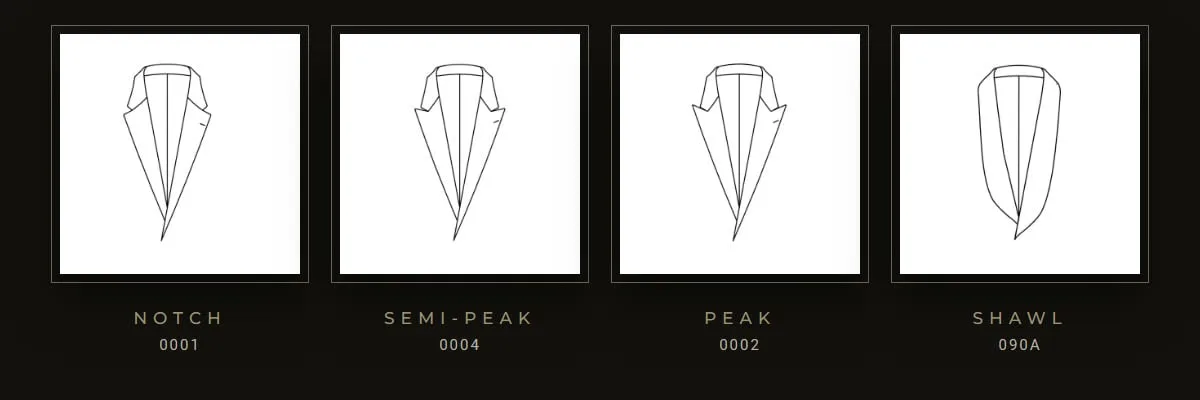
Custom visuals error-proof your team’s selections.
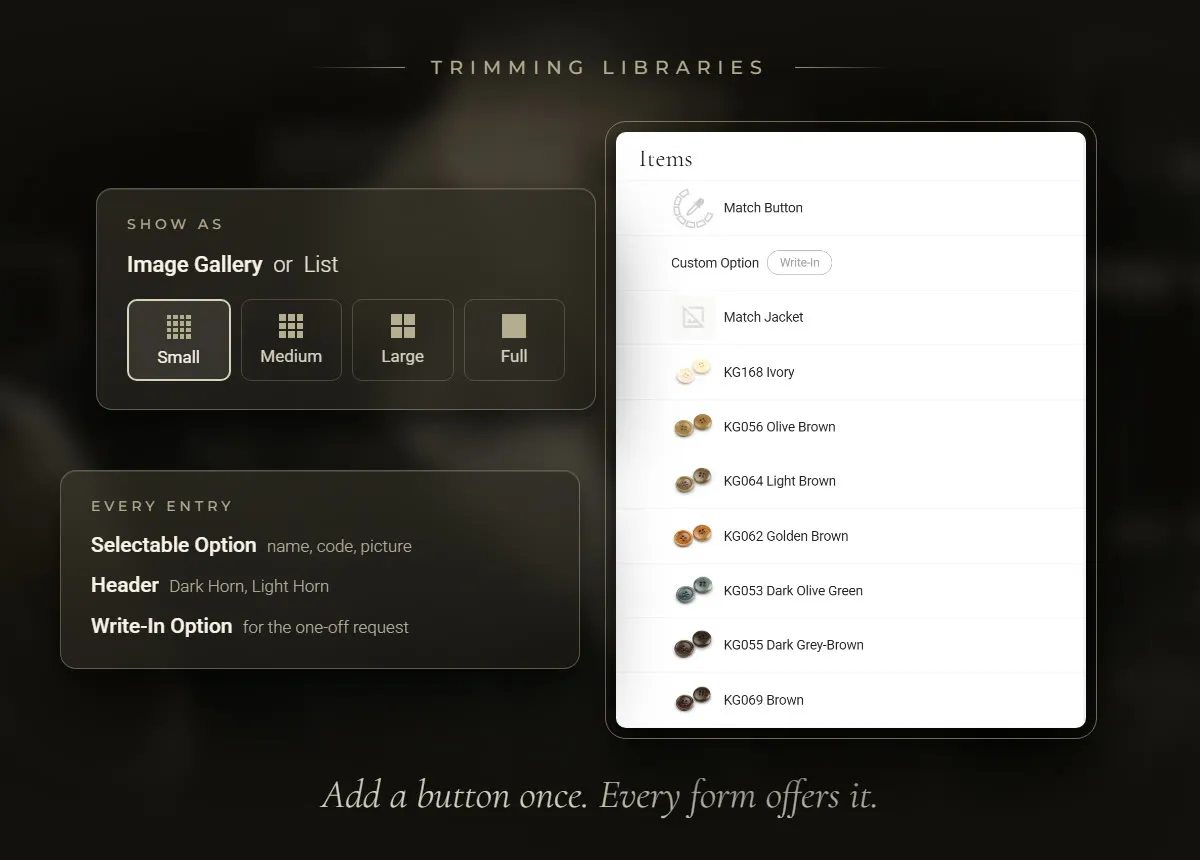
Image galleries in custom sizes display any pictures you want, including your own uploaded images, so your team and your clients can be confident in their selections.
Update your trimmings just once.
Specialized trimming libraries keep your buttons, linings and threads in one list, with pictures and codes, so you do not type them into each form. Add a button once and every garment using that library offers it.
Small form settings. Easier orders.
- Search a list
- Find a lining by name or manufacturer code instead of scrolling.
- Write-in choices
- Add a write-in choice so your team can type a pocket request that is not on the list.
- Character limits
- Limit monogram initials to what the manufacturer can stitch.
Measure the way you fit.
Measure the body, a jacket they bring in, or a try-on, each on its own tab.
- Body + allowance
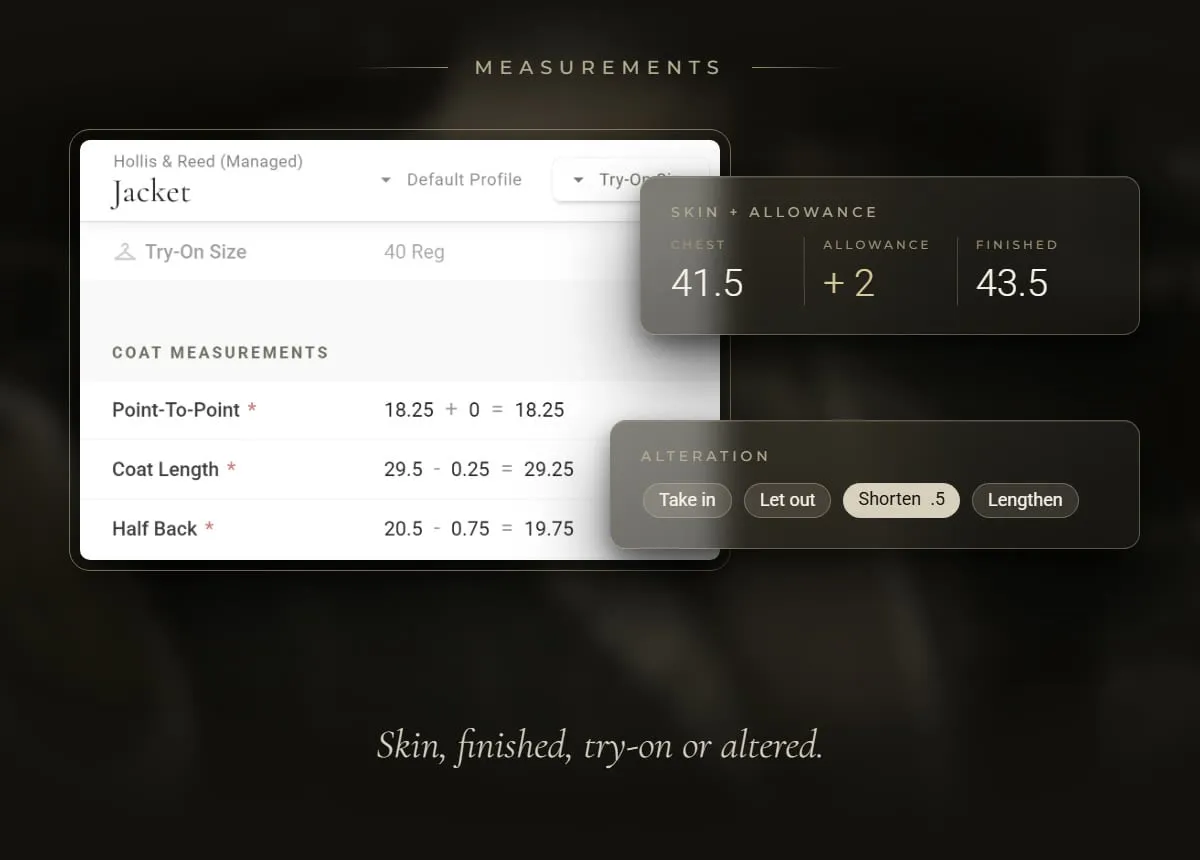
- Enter the body measurement and your allowance, and MTMPRO adds them: 40 + 2 = 42.
- Try-on garments
- Create custom try-on sets. Pick the try-on for a garment, such as a 40 Regular jacket, and the numbers automatically fill in. Record only the changes.
- Alterations
- Mark which way to change a measurement and by how much, like Shorten 0.5 on the sleeve.
- Enter measurements once
- Link matching fields. A chest entered for one garment fills the empty chest fields on the client’s other garments, even from another manufacturer.
“There is so much customization that it feels like it was built specifically for my business.”

Don't waste another minute.
Time is the most valuable resource you have. Imagine what you could do with more of it.